Quick answer: Odoo 20 India localization adds GST support for Composition Taxpayers (CMP-08 and GSTR-4), GST-compliant RCM self-invoices, the QRMP scheme with quarterly GSTR-1 and IFF, price-adjustment credit notes, a bill of entry flow for import duty, and flexible TDS on payments. Payroll gains a gratuity report, an EPF summary, employee TDS declarations, monthly TDS challans, full and final settlement from a new Notice Period tab, and HDFC eNET salary files. Everything below comes from Odoo's official Odoo 20 release notes and 20.0 documentation.
What changed in Odoo 20 India localization?
The India section of the Odoo 20 release notes (September 2026) has eight accounting items and eight payroll items. They build on what the India localization already documents: e-invoicing and e-way bills through a GST service provider (GSP), the GSTIN status check, GST return filing, the GSTR-1, GSTR-2B and GSTR-3B reports, and TDS/TCS threshold alerts. For the wider release, see our Odoo 20 new features guide.
GST: Composition Scheme, RCM self-invoices and QRMP
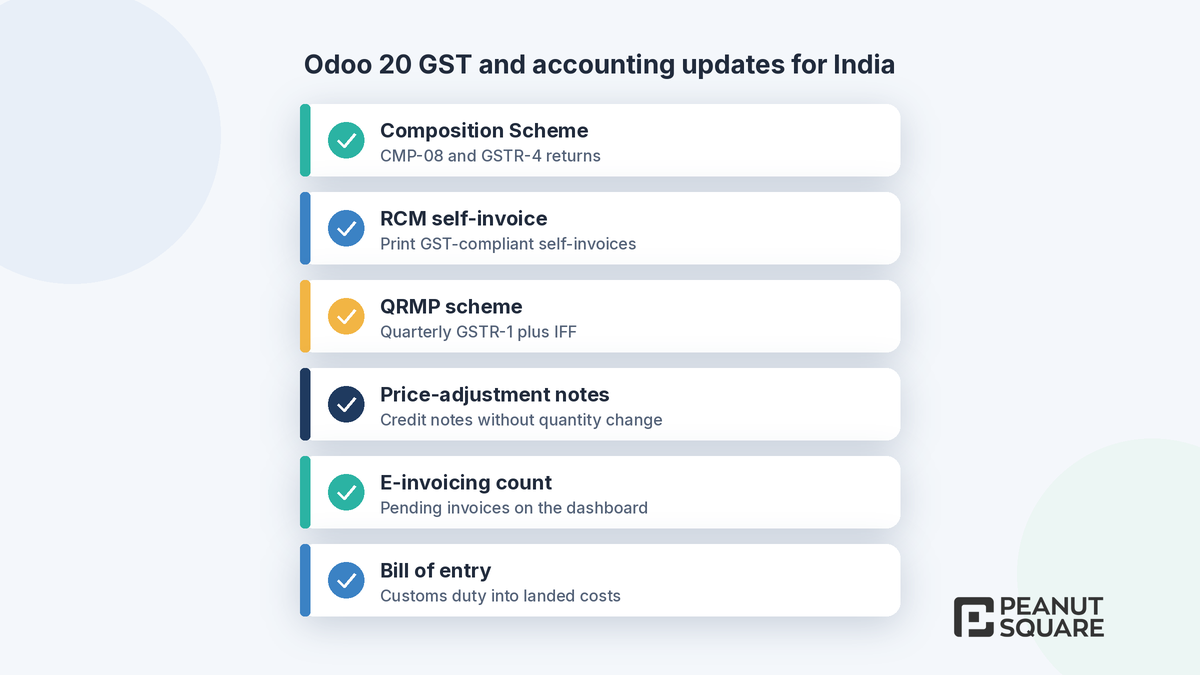
Composition Scheme (CMP-08 and GSTR-4)
According to the release notes, GST compliance now extends to Composition Taxpayers, with dedicated support for the Composition Scheme and its statutory returns, CMP-08 and GSTR-4.
RCM self-invoices
When the recipient has to issue a self-invoice under the Reverse Charge Mechanism (RCM), Odoo 20 can generate and print a GST-compliant self-invoice with the required tax details, using its own document format.
QRMP scheme
Odoo 20 adds support for the Quarterly Return Monthly Payment (QRMP) scheme: quarterly GSTR-1 filing, plus the Invoice Furnishing Facility (IFF) for the first and second months of each quarter.
Price-adjustment credit and debit notes
The release notes list credit notes for price adjustments. Odoo's 20.0 India documentation explains how it works: on the credit or debit note, set the Adjustment Type in the Other Info tab to Standard when the quantity changes, or to Price Adjustment when only the amount changes. With Price Adjustment, Odoo reports quantity and unit price as zero in the e-Invoice while still reporting the taxable value and GST. It also leaves the note out of the HSN summary in GSTR-1 and doesn't change the invoiced quantity on the sales order.
Bill of entry and import duty
For imported goods, a new bill of entry flow makes it easier to record import customs duty, and the duty amount flows into inventory cost through landed costs. Importers should test this with their customs broker's documents and their landed-cost settings before go-live.
TDS options on payments
When you pay a bill that carries TDS, you can now choose TDS & Payment, TDS Only or Payment Only. This gives you more control over how the deduction and the payment are processed. It matches a general Odoo 20 accounting change, where bills with withholding tax show "Amount Due", "Withhold Due" and "Net Due" separately. The existing TDS/TCS threshold alert, which suggests the right section on an invoice or bill, still applies.
Schedule III financial statements
Odoo 20 can prepare financial statements with the presentation, classification and disclosures required under Schedule III, Division I of the Companies Act. Ask your auditor to review the first set produced from your chart of accounts.
E-invoicing: pending count on the dashboard
The Accounting Dashboard now shows how many invoices are still waiting for e-invoicing. Clicking the count opens an overview where you can send them one at a time or in bulk. This sits on top of the documented e-invoice flow (IRN and acknowledgement on the invoice PDF, cancellation, and verifying the signed JSON on the NIC portal).
India payroll: gratuity, EPF, TDS and full and final settlement
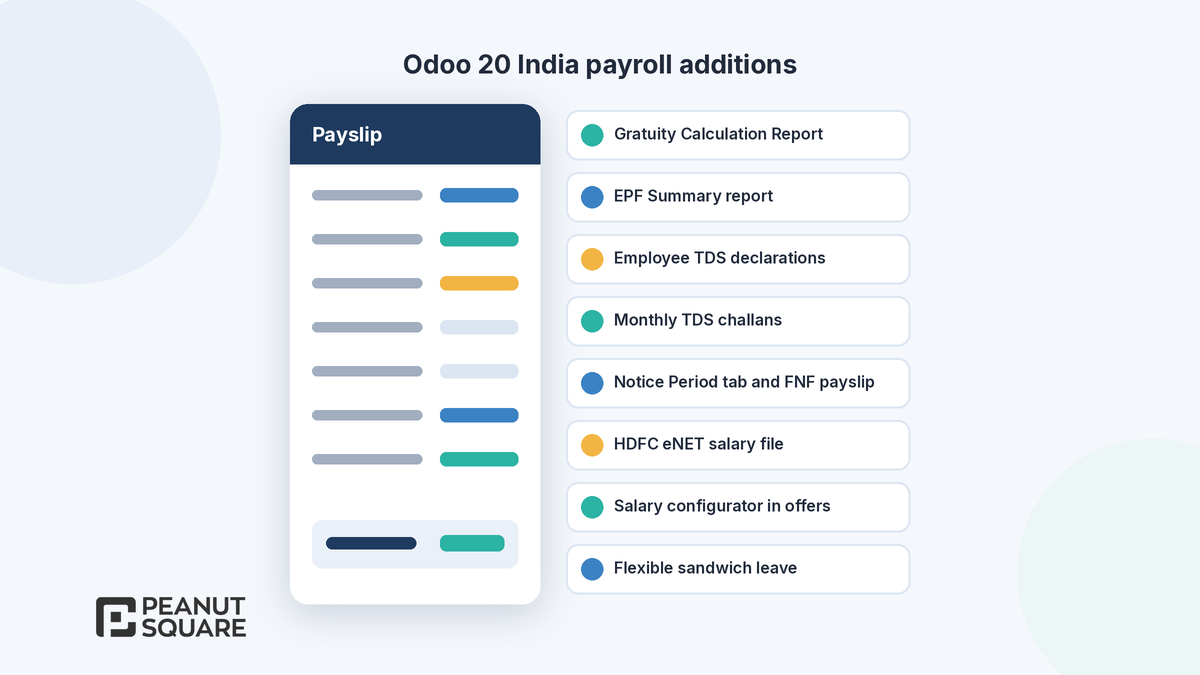
The payroll part of the release notes lists:
Employee TDS declarations: employees can generate and print their TDS declarations from their employee profile.
Gratuity Calculation Report: shows each employee's gratuity eligibility and, where relevant, the payable amount under the applicable statutory rules.
EPF Summary report: an overview of each employee's EPF contributions and balances.
Monthly TDS challans: generated each month to record and deposit TDS deducted from salaries. A quarterly report of TDS deducted and deposited with the Income Tax Department can also be generated.
Full and final settlement: the "End of collaboration" wizard gets a Notice Period tab. When the dismissal date and the actual departure date are the same, you can generate the FNF payslip directly.
Flexible sandwich leave: choose whether "Weekends and Company holidays", "Weekends Only" or "Company holidays Only" count when leave spans non-working days.
Salary configurator: applicants can choose benefits while signing their offer.
HDFC eNET file: generate it from individual payslips or a pay run and upload it to the HDFC bank portal.
These add to the India payroll features documented in 20.0: Provident Fund, Professional Tax, ESIC and Labour Welfare Fund settings, and the Salary Register, EPF, ESI, LWF, Salary Statement and Yearly Salary by Employee reports. The Attendances app separately adds direct integration with eSSL and Mantra biometric devices.
What should you check before upgrading?
Confirm your GST registration type (regular, composition or QRMP) and test the matching returns on an upgraded copy of your database.
Reconcile one full month of GSTR-1 and GSTR-2B on the test copy against your current filings.
Test RCM self-invoices, price-adjustment credit notes and the e-invoice pending list with your accountant.
If you import goods, run a bill of entry through landed costs and check the resulting product cost.
For payroll, compare the gratuity, EPF and TDS figures with your current payroll for at least one month.
Retest custom modules, because Odoo 20 replaces record rules with a domain on each access right.
Plan the cut-over away from GST filing dates and month-end payroll.
Odoo 20 also brings AI agents that can create and update records. Our Odoo AI agents explainer covers what to switch on and how credits work.
How Peanut Square can help
Peanut Square is an Odoo Learning Partner based in Ahmedabad, Gujarat, founded in 2017. We have developed 90 Odoo modules and delivered 100+ projects, and our team includes an Odoo-certified consultant. Our Odoo clients include Renite Vitrified (https://renitevitrified.com/), Woodleaf and Madhav Solar. We can review your GST, TDS and payroll setup, plan a test upgrade and support you after go-live through our Odoo support plans.
Plan your Odoo 20 upgrade: https://www.peanutsquare.com/en/odoo-migration
About the author: Nishant Patel, CTO, Peanut Square
Nishant leads technology at Peanut Square, an Odoo Learning Partner founded in 2017 and based in Ahmedabad, Gujarat. The team has developed 90 Odoo modules, delivered 100+ projects and includes an Odoo-certified consultant.
Sources
Odoo 20 release notes, Localizations: India (September 2026): https://www.odoo.com/odoo-20-release-notes
Odoo 20.0 documentation, India fiscal localization: https://www.odoo.com/documentation/20.0/applications/finance/fiscal_localizations/india.html
Odoo 20.0 documentation, India payroll: https://www.odoo.com/documentation/20.0/applications/hr/payroll/payroll_localizations/india.html
Meet Odoo 20 (Odoo blog, 24 Sep 2026): https://www.odoo.com/blog/odoo-news-5/meet-odoo-20-2439
What is new in Odoo 20 for GST in India?
The Odoo 20 release notes list Composition Scheme support with CMP-08 and GSTR-4, GST-compliant RCM self-invoices, the QRMP scheme with quarterly GSTR-1 and IFF, credit notes for price adjustments, and a count of invoices pending e-invoicing on the Accounting Dashboard.
Does Odoo 20 support the GST Composition Scheme?
Yes. According to Odoo's release notes, GST compliance now extends to Composition Taxpayers, with dedicated support for the Composition Scheme and its statutory returns, CMP-08 and GSTR-4.
How does Odoo 20 handle TDS on payments?
When paying a bill with TDS you can choose TDS & Payment, TDS Only or Payment Only. Payroll can also generate monthly TDS challans for salary TDS, and employees can print their TDS declarations from their profile.
What India payroll reports does Odoo 20 add?
A Gratuity Calculation Report and an EPF Summary report, plus monthly TDS challans, a Notice Period tab for full and final settlement payslips and HDFC eNET salary files. These add to existing EPF, ESI, LWF and salary register reports.
Should Indian businesses upgrade to Odoo 20 now?
Test first. Upgrade a copy of your database, reconcile a month of GSTR-1, GSTR-2B and payroll against current filings, retest custom modules because access rights changed, and schedule go-live away from GST filing dates.