Quick answer: You integrate Odoo with other software in four main ways: install a ready-made connector (Odoo's own or from the Odoo Apps Store), call Odoo's external API (the JSON-2 API in Odoo 19 and 20), use automation rules and webhooks to send or receive events, or build a custom connector module. For India, also plan e-invoicing, e-way bill and payment gateways early, and design every Odoo integration so it survives version upgrades.
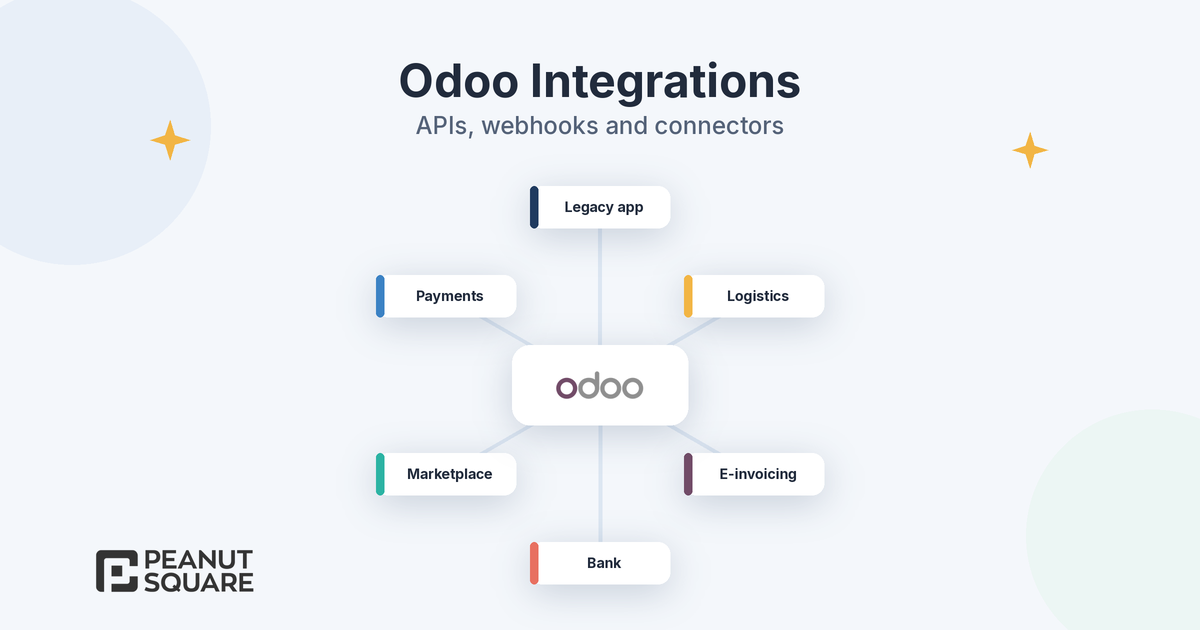
Few businesses run on Odoo alone. Payment gateways, online marketplaces, courier partners, banks, government portals and older in-house systems all need to exchange data with your ERP. A good Odoo integration saves hours of manual entry; a fragile one breaks silently or stops working after the next upgrade. This guide covers the integration options, the basics of the Odoo external API, webhooks, monitoring and upgrade-safe design, using Odoo's official 20.0 documentation.
How do you integrate Odoo? Odoo integration options
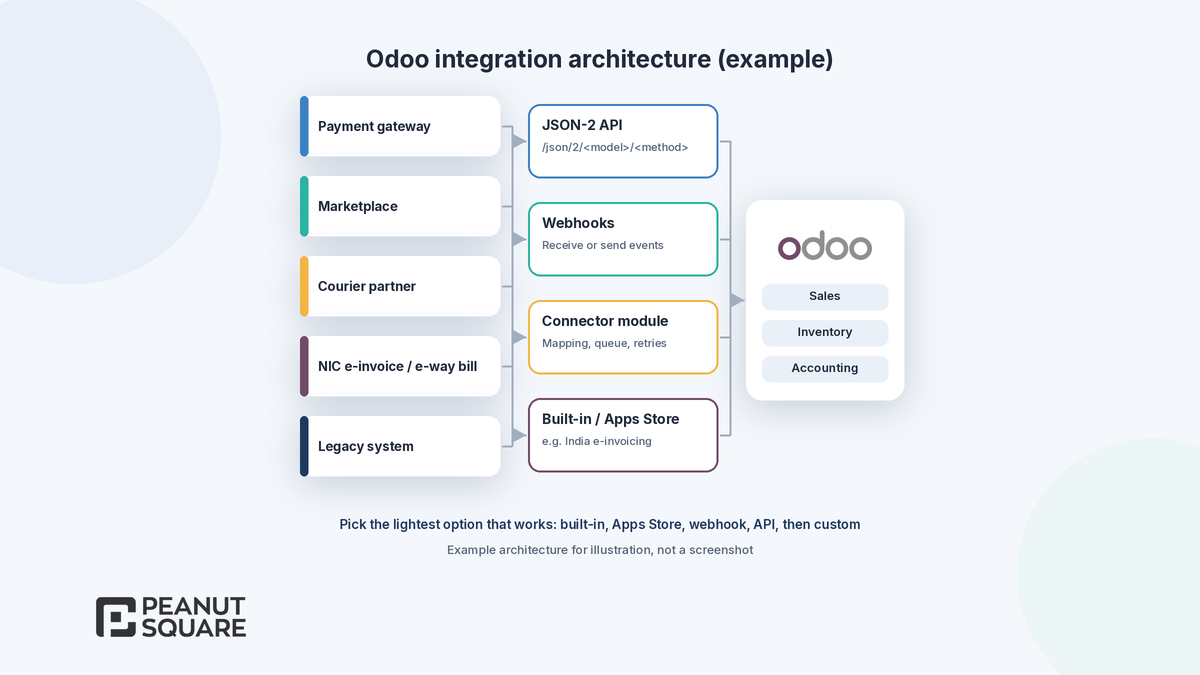
For every Odoo integration, start with the lightest option that meets the need:
Built-in integrations. Odoo ships with many connectors, for example payment providers, shipping carriers and, for India, the e-invoicing and e-way bill integrations in the Indian localization. Check these first.
Apps from the Odoo Apps Store. The official Odoo Apps Store lists third-party connector modules. Check version support, reviews and who will maintain the module.
Automation rules and webhooks. Configured in Studio, often with little or no code, for event-driven flows.
The external API. Another system reads and writes Odoo data on a schedule or on demand.
Custom connector development. A dedicated Odoo module when you need mapping logic, queues, retries and a user interface inside Odoo.
MCP for AI agents. Odoo 20 can act as an MCP server so an external AI agent can work with your database, as described in the MCP server documentation. Our guide to Odoo MCP explains it in more detail.
Odoo API basics: the external JSON-2 API
Odoo 20 documents the JSON-2 API, which the external API reference marks as new in version 19.0. The key points:
One endpoint pattern. Send a POST request to /json/2/<model>/<method>, for example to search or create records, with the arguments as JSON.
API keys for authentication. Send an Authorization: bearer header with an API key. Keys are created from the user's Preferences under Account Security, and the documentation notes they can be valid for at most three months, so plan key rotation.
Dedicated bot users. The documentation recommends creating a dedicated user for each integration, with only the access rights it needs.
One transaction per call. Each call runs in its own SQL transaction, so a multi-step sync must handle partial failures itself.
Self-documenting. Each database has a /doc page that lists the models, fields and methods available to the API.
Pricing plan. The documentation states that access to data via the external API is only available on Custom Odoo pricing plans, not on One App Free or Standard. Check your Odoo plan before you design an integration.
The older XML-RPC and JSON-RPC endpoints are deprecated. According to the same reference, they are scheduled for removal in Odoo 22 (fall 2028) and Odoo Online 21.1, so new Odoo API work should use JSON-2.
Automations and webhooks
Webhooks let Odoo react to events instead of polling. Odoo's automation rules documentation describes both directions:
Outgoing: the Send Webhook Notification action posts the values of selected fields to an external URL when a rule triggers, for example when an order is confirmed. Odoo shows a sample payload so the receiving system can be built to match.
Incoming: an automation rule with the On webhook trigger gives you a URL that an external system can call, for example a payment or delivery status update. The webhooks documentation says this URL should be kept confidential, and it can be changed with Rotate Secret if it is exposed.
The webhooks documentation recommends testing webhooks on a duplicate database first, consulting a developer when code is involved, and using the Log Calls option to record calls. The automation rules documentation also notes that maintenance of custom code is not included in Standard or Custom plans, so someone on your side or your partner's side must own it.
Common Indian integrations to plan
Indian businesses usually need some of these integrations, and each one has its own setup and testing effort:
E-invoicing and e-way bill. The Indian localization includes modules for e-invoicing and e-way bill. Odoo's India documentation explains how to create API users on the NIC e-invoice and e-way bill portals and enter them in Odoo's Indian Integration settings. Our guide to Odoo 20 India localization covers what is new.
GST returns. The Indian accounting reports module adds GST return filing and Indian tax reports.
Payment gateways. Odoo supports several payment providers, including Razorpay, as listed in the payment providers documentation.
Marketplaces and couriers. Order, stock and shipment sync with online marketplaces and courier partners usually needs an Apps Store connector or a custom connector built on the API.
Banks and legacy systems. Bank statement imports, older accounting software and in-house tools often need a one-time migration plus an ongoing sync.
How should Odoo integration errors be handled and monitored?
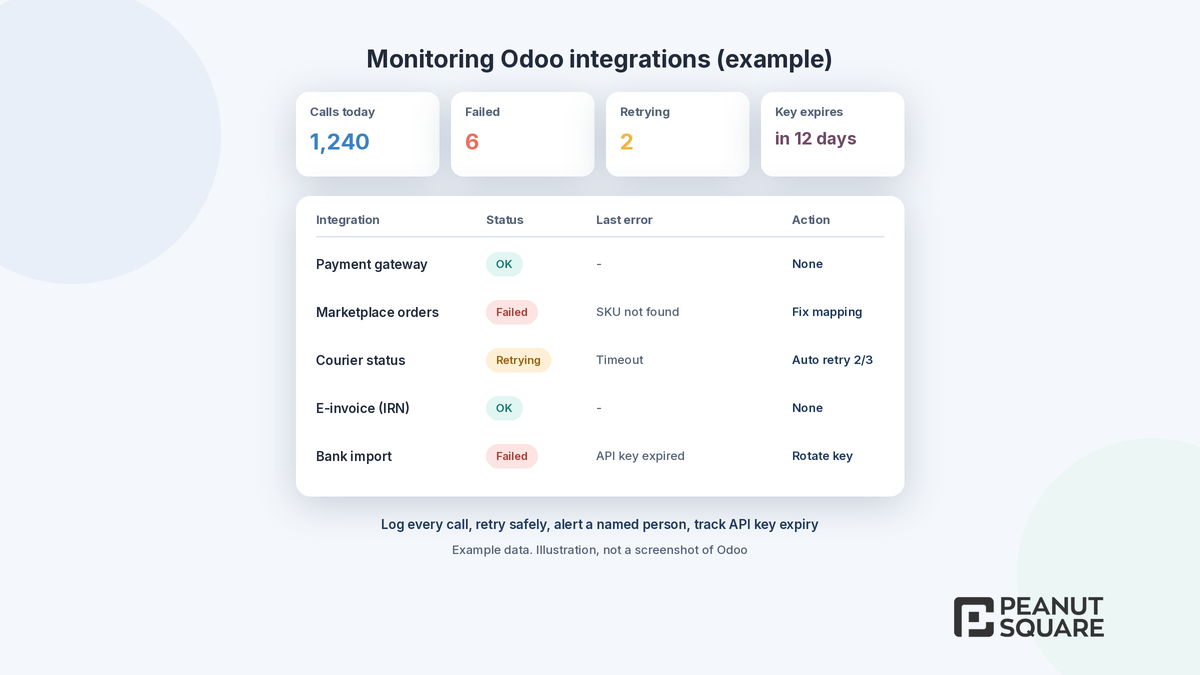
Every Odoo integration fails at some point: a token expires, a portal is down or a product code does not match. Plan for it from day one:
Log every call with its status, payload reference and error message, and keep logs where a functional user can read them.
Retry safely. Use a queue with limited retries, and make operations idempotent so a repeated call does not create duplicate invoices or orders.
Alert a named person when failures cross a threshold, instead of finding out at month-end.
Track key expiry. API keys last at most three months, so add rotation to your maintenance calendar.
Reconcile regularly. Compare counts and totals between Odoo and the other system, for example daily orders or payments.
Upgrade-safe integration design
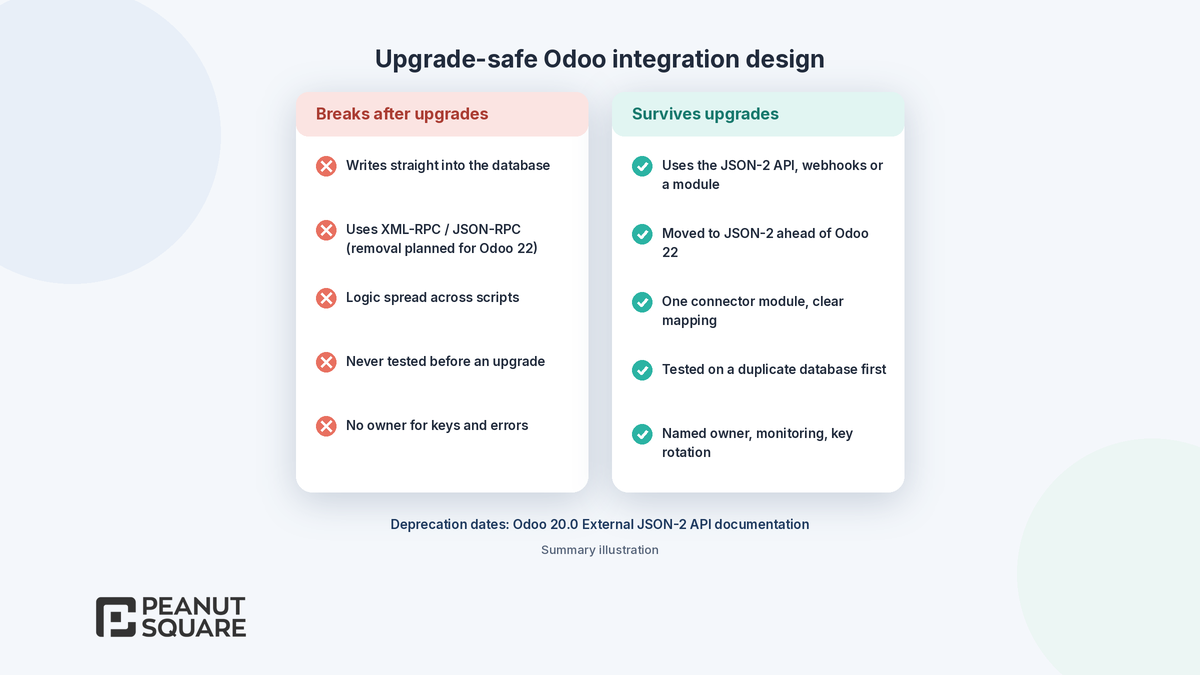
The most common integration mistake is one that breaks after every Odoo upgrade. To avoid it:
Use supported interfaces. Integrate through the external API, webhooks or a proper module, never by writing directly into the database.
Move off deprecated endpoints. Plan the switch from XML-RPC and JSON-RPC to JSON-2 before Odoo 22.
Keep connector logic in one module with clear field mapping, so it is easy to review and port.
Test on a duplicate or staging database before every upgrade. Odoo's upgrade documentation warns that a database with custom modules cannot be upgraded until those modules are available for the target version.
Document ownership. Name who maintains each connector, its API keys and its monitoring.
If you are planning a new rollout, our guide to Odoo implementation methodology explains how to phase integrations, and our checklist on finding an Odoo partner near you lists questions to ask about connector maintenance.
How Peanut Square can help
Peanut Square is an Odoo Learning Partner based in Ahmedabad, Gujarat, founded in 2017. We have developed 90 Odoo modules and delivered 100+ projects, and our team includes an Odoo-certified consultant. Our Odoo clients include Renite Vitrified, Woodleaf and Madhav Solar. Through our Odoo customization and Odoo development services, we can review your integration needs, choose between built-in connectors, Apps Store modules and custom connector development, and design integrations that stay upgrade-safe.
Need to connect Odoo with your other systems? Talk to us: https://www.peanutsquare.com/en/contact
About the author: Nishant Patel, CTO, Peanut Square
Nishant leads technology at Peanut Square, an Odoo Learning Partner founded in 2017 and based in Ahmedabad, Gujarat. The team has developed 90 Odoo modules, delivered 100+ projects and includes an Odoo-certified consultant.
Sources
Odoo 20.0 documentation, External JSON-2 API: https://www.odoo.com/documentation/20.0/developer/reference/external_api.html
Odoo 20.0 documentation, Automation rules: https://www.odoo.com/documentation/20.0/applications/studio/automated_actions.html
Odoo 20.0 documentation, Webhooks: https://www.odoo.com/documentation/20.0/applications/studio/automated_actions/webhooks.html
Odoo 20.0 documentation, MCP server: https://www.odoo.com/documentation/20.0/applications/productivity/ai/mcp_server.html
Odoo 20.0 documentation, India: https://www.odoo.com/documentation/20.0/applications/finance/fiscal_localizations/india.html
Odoo 20.0 documentation, Payment providers: https://www.odoo.com/documentation/20.0/applications/finance/payment_providers.html
Odoo 20.0 documentation, Upgrade: https://www.odoo.com/documentation/20.0/administration/upgrade.html
Odoo Apps Store: https://apps.odoo.com/apps
Odoo pricing: https://www.odoo.com/pricing-plan
How do you integrate Odoo with other software?
Use the lightest option that works: a built-in Odoo integration, a connector from the Odoo Apps Store, automation rules with webhooks, the external JSON-2 API, or a custom connector module. Odoo 20 can also act as an MCP server for external AI agents. Choose based on data volume, how real-time the sync must be and who will maintain it.
What is the Odoo JSON-2 API?
It is Odoo's external API, marked as new in version 19.0 in the 20.0 documentation. You send a POST request to /json/2/<model>/<method> with an API key as a bearer token. Each call runs in its own SQL transaction, and each database has a /doc page listing its models, fields and methods. The older XML-RPC and JSON-RPC endpoints are scheduled for removal in Odoo 22.
Is the Odoo external API available on every plan?
No. Odoo's external API documentation states that access to data via the external API is only available on Custom Odoo pricing plans, not on One App Free or Standard. Check your plan on Odoo's pricing page before you design an API-based integration.
How do webhooks work in Odoo?
Odoo uses automation rules for webhooks. The Send Webhook Notification action posts selected field values to an external URL when a rule triggers. For incoming data, a rule with the On webhook trigger gives you a confidential URL that external systems can call; you can change it with Rotate Secret and enable Log Calls for troubleshooting. Odoo recommends testing on a duplicate database first.
How do I make an Odoo integration upgrade-safe?
Integrate only through supported interfaces such as the JSON-2 API, webhooks or a proper module, never by writing directly into the database. Move off XML-RPC and JSON-RPC before Odoo 22, keep connector logic in one module, test on a duplicate database before every upgrade, and name an owner for keys, monitoring and maintenance.