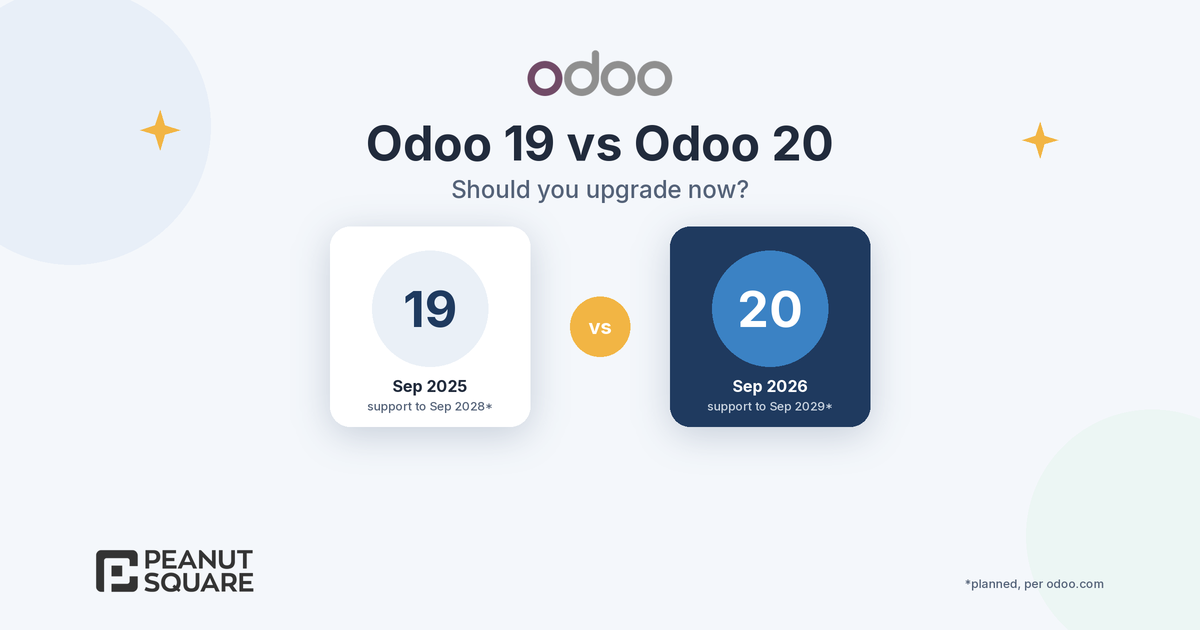
Quick answer: In the Odoo 19 vs Odoo 20 decision, there is no support deadline forcing you to move today. Odoo's support table lists Odoo 19.0 (September 2025) under standard support until September 2028 (planned), and Odoo 20.0 (September 2026) until September 2029 (planned). Upgrade now if you need specific Odoo 20 features, such as AI agents that create and update records, MCP, offline mode or the new India GST options, and your custom modules are few. Wait if you rely on many custom modules or integrations. Either way, start with an upgraded test database.
Release timeline: 19, 19.1 and 20
Odoo publishes one major version a year, plus SaaS (online) versions in between. According to Odoo's standard and extended support page, the versions that matter for this decision are:
Odoo 19.0 (major): released September 2025, end of standard support September 2028 (planned). Available on Odoo Online, Odoo.sh and on-premise.
Odoo SaaS 19.1 to 19.4: released January, March, May and July 2026. These run only on Odoo Online and are not eligible for extended support.
Odoo 20.0 (major): released September 2026, end of standard support September 2029 (planned). Odoo announced it in the Meet Odoo 20 post on 24 September 2026.
Standard support covers the first three years after a major release, and security updates are only provided during standard support. Odoo also states that you can upgrade from any version to any major version still under standard support, or one that left standard support less than six months ago.
One detail is easy to miss. Many items in the Odoo 20 release notes first appeared in the Odoo 19.1 release notes (January 2026): the chatter filter, pinned chatter messages, the calendar side panel, file sharing from mobiles and expand/collapse of list groups. If you run Odoo Online on a 19.x SaaS version, part of the Odoo 20 gap has already closed. If you run Odoo 19.0 on Odoo.sh or on-premise, the full gap still applies.
Odoo 19 vs Odoo 20: what Odoo 20 adds
Odoo 20's release notes are long. These are the items most likely to change the upgrade decision for a small or mid-sized business in India:
AI that acts, not just answers: AI agents can create and update records, agents can be summoned by automated and scheduled actions, and you can connect an external AI tool to your database via MCP (Model Context Protocol). The release notes also state that all AI features now need credits, bought via IAP. See our explainers on Odoo AI agents and Odoo MCP.
Offline mode: create, edit, archive and delete records while offline, and run previously executed searches.
Accounting: pay bills from Odoo through a payment initiation (PISP) interface, bill line prediction, customer invoice reminders, matching rules for bill and invoice reconciliation, and valuation without the Inventory app.
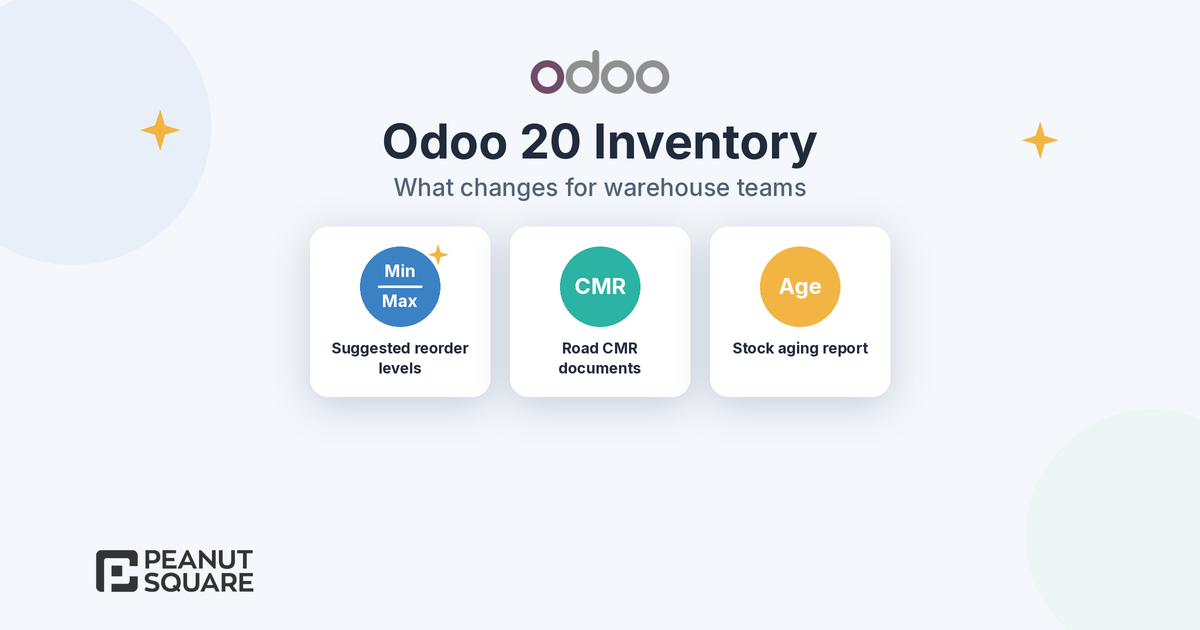
Inventory and purchase: suggested minimum and maximum stock levels for reordering rules based on demand history, and improved vendor bill to purchase order matching.
India localization: Composition Taxpayer support with CMP-08 and GSTR-4, the QRMP scheme, more flexible TDS handling, Schedule III financial statements and RCM self-invoices. Payroll adds a gratuity report, an EPF summary, monthly TDS challans and HDFC eNET file generation. Our Odoo 20 India localization post covers these in detail.
For a broader tour, read our Odoo 20 new features guide.
Technical changes that raise upgrade effort
New features are only half of the Odoo 19 vs Odoo 20 comparison. The release notes also list framework and data-model changes that affect custom code, reports and integrations:
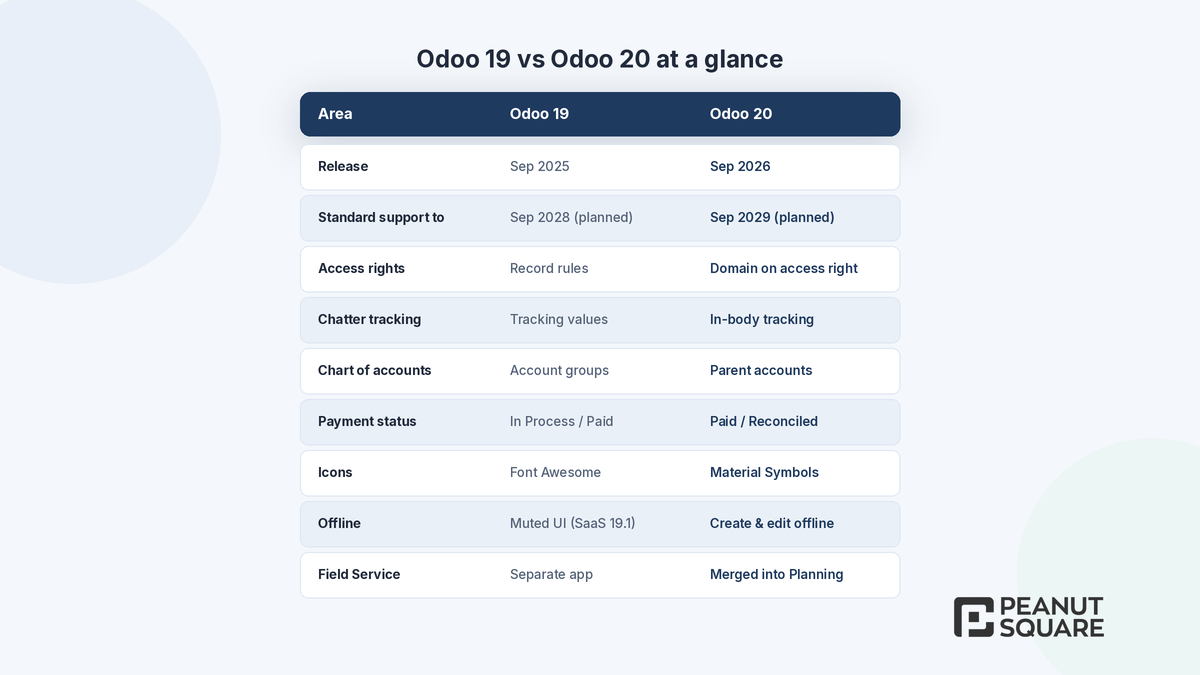
Simplified access rights: record rules have been removed, and a domain is now set directly on the access right. Any custom security rules need review.
Mail in-body tracking: tracking values have been removed, and the tracking message is generated on the fly. Features such as burndown charts and stage duration were updated; admins who still need tracking values can install a dedicated module. Custom reports that read tracking data need checking.
Icons: Font Awesome icons have been replaced by Material Symbols, which matters for custom views and website snippets.
Accounting structure: account groups are replaced by parent accounts (account codes become optional), asset models are replaced by depreciation models, and payment statuses are renamed from "In Process" to "Paid" and from "Paid" to "Reconciled". All journal entries that affect bank accounts must now come from bank transactions.
Apps merged or removed: the Field Service app is discontinued and its features now live in Planning, Remote Work is merged into Employees, the standalone Employee Expenses menu is removed and the stock return wizard is gone.
Other plumbing: push notifications move from Firebase to Odoo's own tools, and many-to-one fields are now synced with the backend.
Custom modules are the biggest factor. Odoo's upgrade documentation warns that a database with custom modules cannot be upgraded until a version of those modules exists for the target version. Its guide to upgrading a customized database recommends freezing development, challenging each customization against new standard features, making modules installable on an empty database first, then testing on the upgraded database with a full rehearsal.
When does upgrading now make sense?
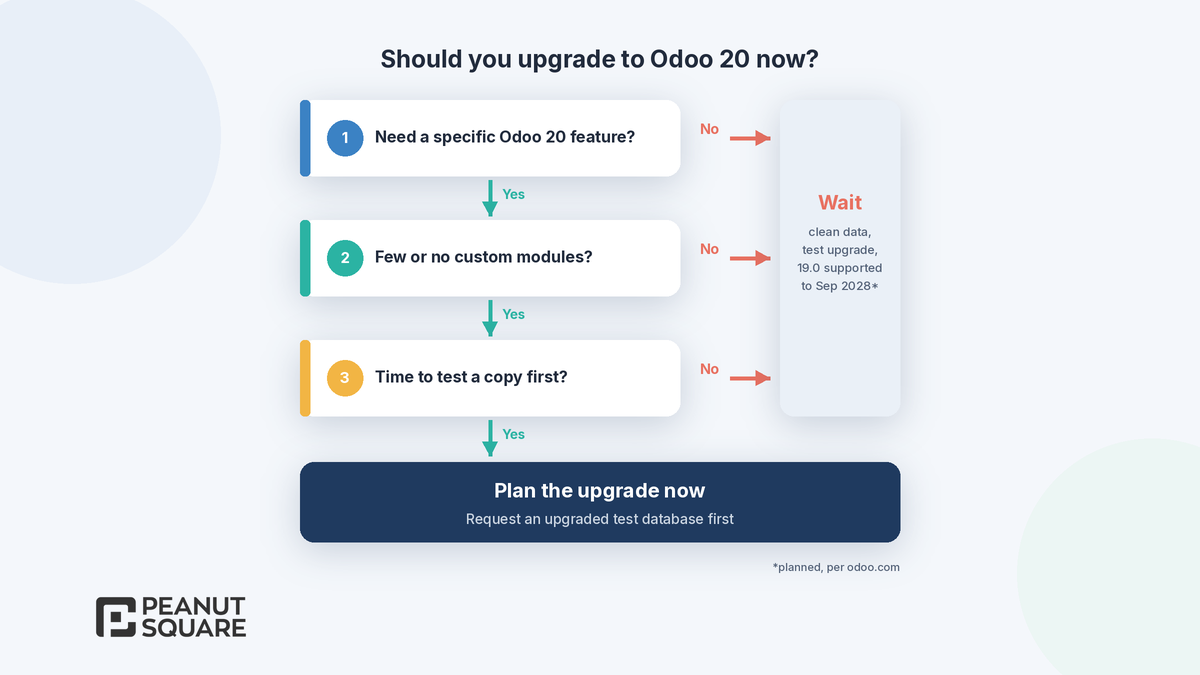
Plan an upgrade to Odoo 20 in the next few months if most of these are true:
A specific Odoo 20 feature solves a real problem for you, such as GST Composition or QRMP filing, AI agents in automated actions, offline field work or paying bills from Odoo.
You run mostly standard Odoo, with Studio customizations or a small number of well-maintained custom modules.
You are on Odoo Online, where major versions must be upgraded every two years and SaaS versions a few weeks after the next one is released, so you will move anyway.
You can give key users time to test an upgraded copy before go-live.
You are on an older version, such as 17.0 or earlier, and need to get back onto a version under standard support.
When should you wait?
Staying on Odoo 19.0 for now is reasonable if:
You depend on many custom or third-party modules that have no Odoo 20 version yet.
Integrations (EDI, APIs, payment or shipping connectors) or custom reports would be hit by the access rights, tracking or accounting changes above.
Your team is in a busy period: year-end close, GST filing weeks or a peak sales season.
No Odoo 20 feature is urgent for you. Odoo 19.0 stays under standard support until September 2028 (planned), so you can plan a calm upgrade.
Waiting is not the same as doing nothing. Use the time to clean data, remove customizations that Odoo 20 makes unnecessary and request a test upgrade to see what breaks. Before you fix a date, confirm that 20.0 is offered as a target for your hosting type on the Odoo upgrade platform.
How the official upgrade process works
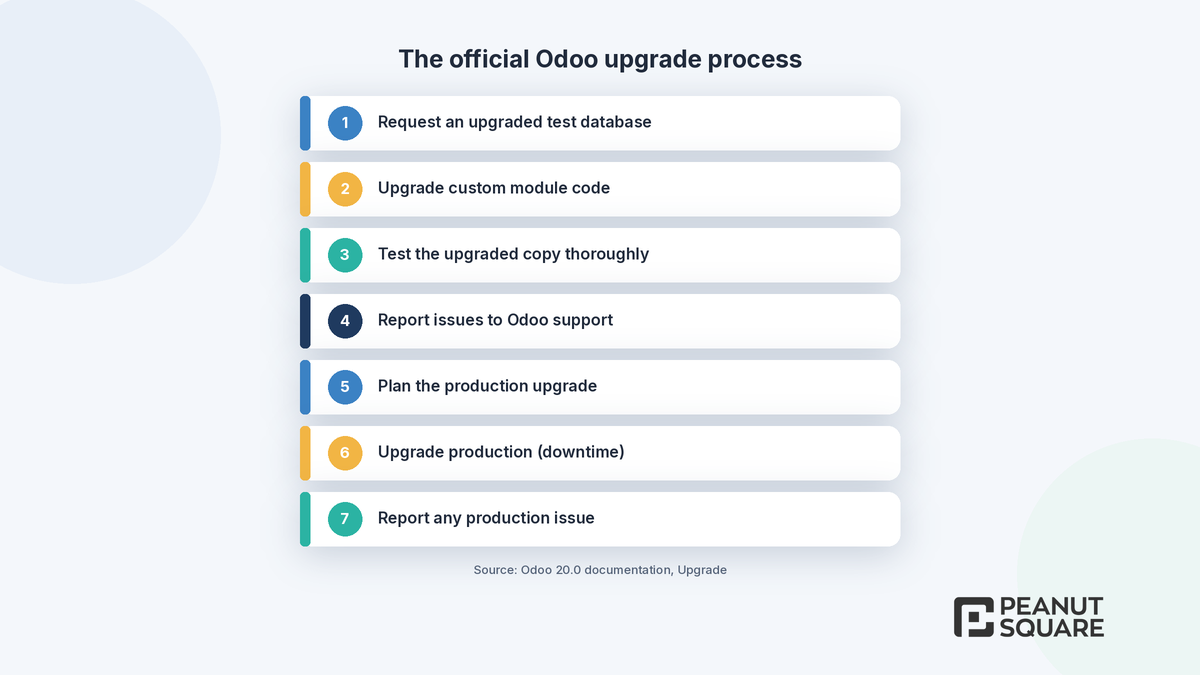
Odoo's 20.0 upgrade documentation sets out the same sequence for Odoo Online, Odoo.sh and on-premise:
Request an upgraded test database (from the database manager, your Odoo.sh project, the command line or the Upgrade page).
If you have custom modules, upgrade their source code for the new version.
Test the upgraded database thoroughly.
Report any issue to Odoo support as an issue with a future upgrade.
Once all issues are fixed, plan the production upgrade.
Request the production upgrade; the database is unavailable while it runs.
Report any production issue to Odoo support.
Test databases are neutralized: scheduled actions and outgoing mail are disabled, payment providers and carriers are reset to test mode, and bank synchronization is off. Odoo recommends testing views, reports, website pages, mail templates, exports, automated and server actions, and integrations, plus end-to-end flows such as purchase to receipt and sale to invoice. When an upgrade completes, an upgrade report is sent by email and posted in Discuss for administrators.
On Odoo Online, the documentation says a production upgrade cannot be reverted once it completes, and an automatic upgrade is triggered if no action is taken before the due date. With Odoo Enterprise, the upgrade itself is free and covers standard apps, Studio customizations (while Studio is installed and the subscription is active) and code under a maintenance of customizations subscription. It does not cover data clean-up, modules from third parties or partners without a maintenance contract, or training.
How Peanut Square can help
Peanut Square is an Odoo Learning Partner based in Ahmedabad, Gujarat, founded in 2017. We have developed 90 Odoo modules and delivered 100+ projects, and our team includes an Odoo-certified consultant. Our Odoo clients include Renite Vitrified (https://renitevitrified.com/), Woodleaf and Madhav Solar. Through our Odoo migration and Odoo support services, we can review your custom modules against the Odoo 20 changes, plan a test upgrade and help your team test it. Whether you call it an Odoo 20 migration or an upgrade, the official process above is the same.
Planning an Odoo 19 to Odoo 20 upgrade? Talk to us: https://www.peanutsquare.com/en/contact
About the author: Nishant Patel, CTO, Peanut Square
Nishant leads technology at Peanut Square, an Odoo Learning Partner founded in 2017 and based in Ahmedabad, Gujarat. The team has developed 90 Odoo modules, delivered 100+ projects and includes an Odoo-certified consultant.
Sources
Odoo 20.0 documentation, Standard and extended support (release and end-of-support dates): https://www.odoo.com/documentation/20.0/administration/standard_extended_support.html
Odoo 20 release notes (September 2026): https://www.odoo.com/odoo-20-release-notes
Odoo 19.1 release notes (January 2026): https://www.odoo.com/odoo-19-1-release-notes
Odoo 19 release notes (September 2025): https://www.odoo.com/odoo-19-release-notes
Odoo 20.0 documentation, Upgrade: https://www.odoo.com/documentation/20.0/administration/upgrade.html
Odoo 20.0 documentation, Upgrade a customized database: https://www.odoo.com/documentation/20.0/developer/howtos/upgrade_custom_db.html
Meet Odoo 20 (Odoo blog, 24 Sep 2026): https://www.odoo.com/blog/odoo-news-5/meet-odoo-20-2439
Should I upgrade from Odoo 19 to Odoo 20 now or wait?
There is no support deadline forcing a move today: Odoo lists Odoo 19.0 under standard support until September 2028 (planned). Upgrade now if a specific Odoo 20 feature solves a real problem and you have few custom modules. Wait if you depend on many custom or third-party modules or integrations. In both cases, request an upgraded test database first.
How long is Odoo 19 supported?
Odoo's standard and extended support page lists Odoo 19.0, released in September 2025, with standard support until September 2028 (planned). Standard support covers the first three years after a major release, and security updates are only provided during standard support. SaaS versions 19.1 to 19.4 run only on Odoo Online and are not eligible for extended support.
What are the biggest technical changes in Odoo 20?
Odoo 20's release notes list simplified access rights (record rules removed, with a domain set on the access right), in-body chatter tracking instead of stored tracking values, Material Symbols replacing Font Awesome icons, parent accounts replacing account groups, renamed payment statuses, and Field Service merged into Planning. These can affect custom modules, reports and integrations.
Can I upgrade directly from Odoo 17 or 18 to Odoo 20?
Odoo's documentation says you can upgrade from any version to any major version still under standard support, or one that left standard support less than six months ago. Odoo 20.0 is under standard support, so a direct jump is allowed, but Odoo also notes that the smaller the version gap, the easier the upgrade should be.
Is the Odoo 20 upgrade free?
With Odoo Enterprise, upgrading to the latest version is free and covers standard apps, Studio customizations while Studio is installed and the subscription is active, and code under a maintenance of customizations subscription. It does not cover data clean-up, in-house or third-party modules without a maintenance contract, or training on the new version.