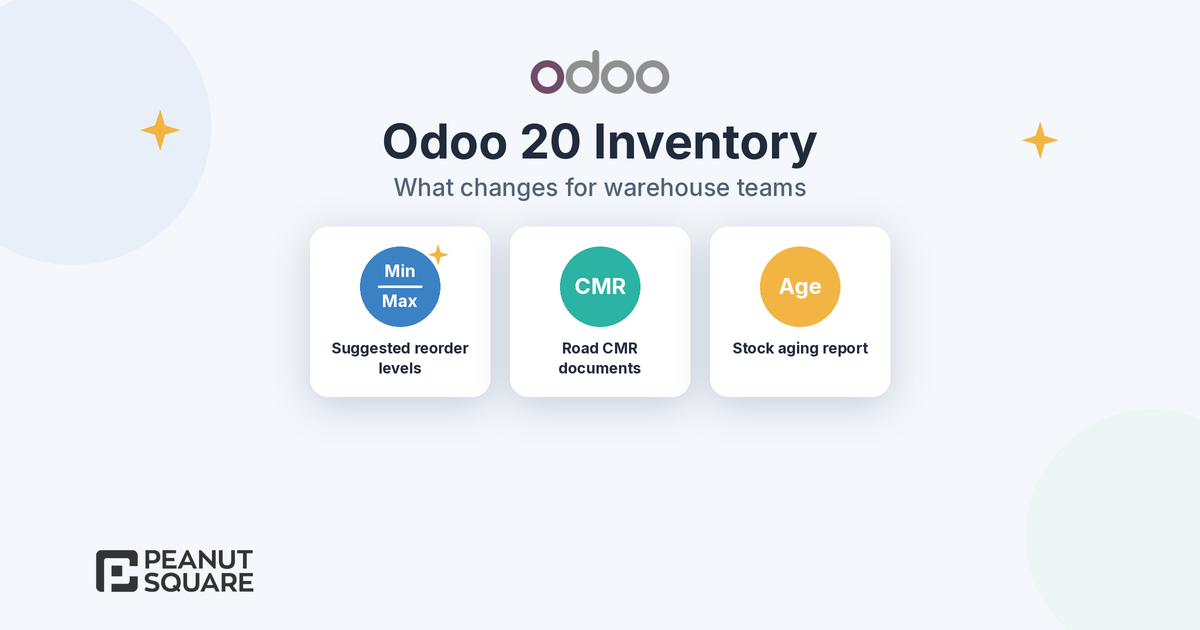
Quick answer: Odoo 20 inventory, released in September 2026, can suggest minimum and maximum stock levels for reordering rules from your demand history, desired minimum days of coverage and order frequency. It also adds downloadable CMR documents for road deliveries, a stock aging report in the Moves Analysis pivot view, landed costs for specific products of a transfer, improved intercompany flows and a simplified returns process without the return wizard. Odoo's release notes list more changes, such as an inventory-at-a-past-date view and a single Order button for replenishment. Test them on a copy of your database before you upgrade.
What is new in Odoo 20 inventory at a glance
The Odoo 20 release notes list more than twenty Inventory items, plus related changes in Barcode and Accounting. For a trader, distributor or manufacturer in India, these are the ones that change daily warehouse work or affect an upgrade:
Planning: suggested minimum and maximum levels for reordering rules, and one Order button on the replenishment dashboard.
Documents and reports: CMR documents from deliveries, a stock aging report and an improved view of inventory at a past date.
Costing: landed costs for individual products of a transfer, and a Valuation Adjustments menu for product cost changes.
Multi-company: resupply routes between companies, deliveries from another company's warehouse and proper transfer of valuation costs.
Returns: the return wizard is removed and the returns process is simplified.
Odoo announced the release in its Meet Odoo 20 post. For changes outside the warehouse, see our Odoo 20 new features guide.
Suggested reorder levels
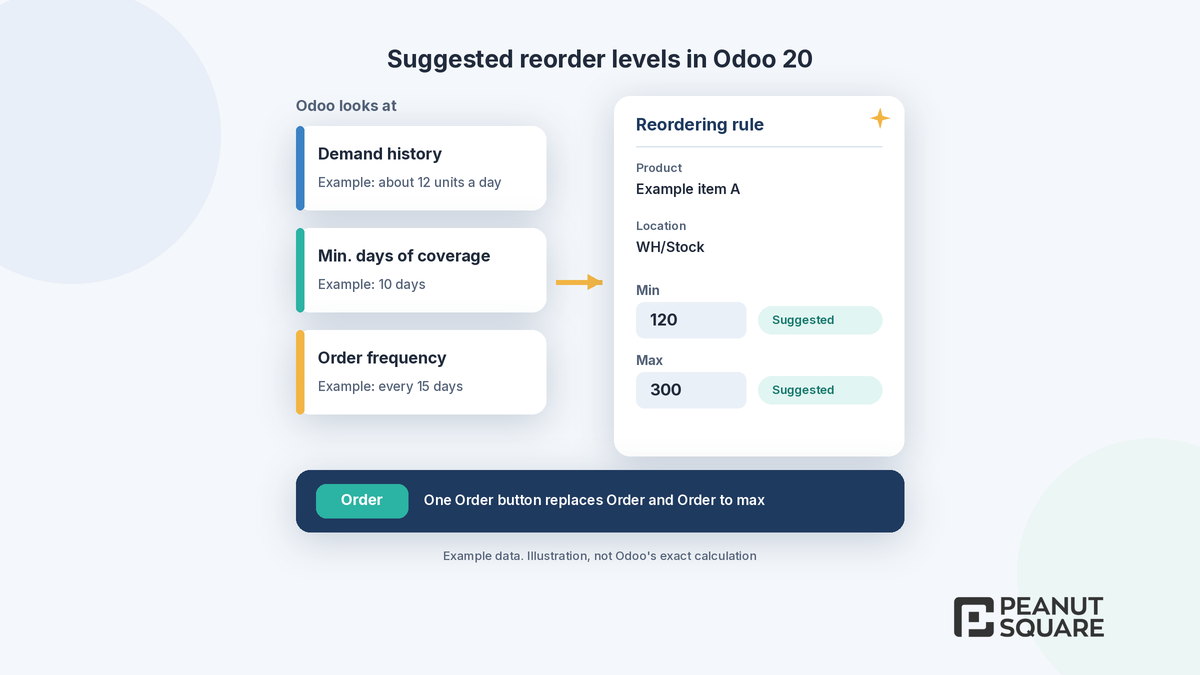
Reordering rules keep forecasted stock between a minimum and a maximum. Odoo's reordering rules documentation explains that when the forecast falls below the minimum, Odoo creates a request for quotation for products on the Buy route or a manufacturing order for products on the Manufacture route, and orders up to the maximum.
The hard part has always been choosing those two numbers. In Odoo 20, the release notes say the minimum and maximum levels are now suggested based on three inputs: demand history, the desired minimum days of coverage and order frequency. Instead of guessing a min/max for hundreds of products, a purchase or stores team can start from a suggestion and adjust it.
Two practical points. The suggestion can only be as good as your history: if past sales, consumption or stock moves were not recorded in Odoo, the suggested levels will be off. And seasonal items, such as festive-season stock or monsoon-related products, still need a person to review them. Treat suggestions as a first draft for each rule.
The replenishment dashboard also changes. The separate "Order" and "Order to max" buttons are merged into one Order button. When you reorder products in advance, without the "To reorder" filter, Odoo now calculates the order quantity as the maximum minus the forecast quantity.
CMR documents
Odoo 20 lets you download a CMR document from a delivery, prefilled with information from the transfer. CMR refers to the Convention on the Contract for the International Carriage of Goods by Road, so this mainly helps businesses that ship by road across borders under that convention.
For domestic shipments in India, the relevant document is still the GST e-way bill. Odoo's India localization documentation for 20.0 lists an Indian E-waybill integration and an E-waybill Stock module for creating e-way bills from the Inventory app. If you dispatch goods by road within India, check your e-way bill flow on the test database rather than looking at CMR.
Stock aging report
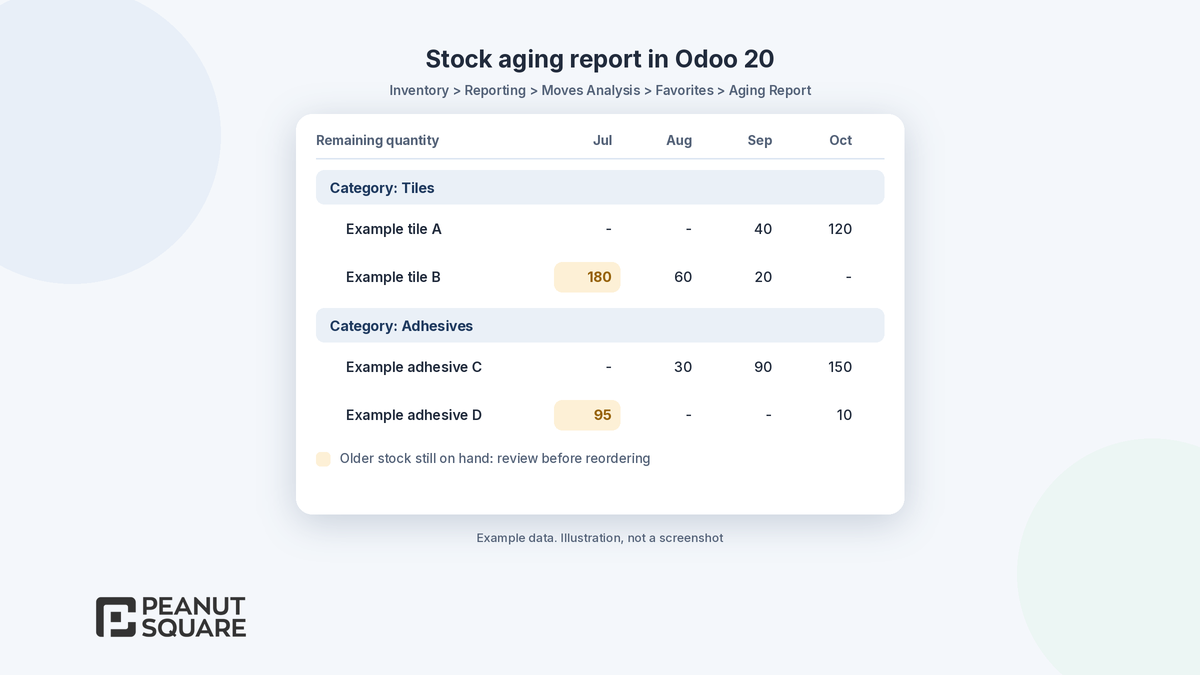
Slow-moving stock ties up cash, and many businesses track it in a spreadsheet exported from their ERP. Odoo 20 adds a stock aging report that you open from the Moves Analysis pivot view.
According to Odoo's Moves Analysis documentation, the Aging Report is a Favorites filter that groups rows by product category and then product, groups columns by month, and shows Remaining Quantity and Remaining Value. It helps you spot slow-moving or aging stock, such as perishable goods close to the end of their shelf life. Two limits are worth knowing: consignment and dropshipping products are not part of inventory valuation, so their moves do not appear in the Aging Report, and the documentation notes that the reporting feature is only available to users with admin access.
A monthly review of the aging report with your stores and purchase heads is a simple habit: it shows which items to stop reordering, which to discount and which reordering rules need a lower maximum.
Landed costs for specific products
Odoo's landed costs documentation describes landed costs as additional costs, such as shipment, insurance, customs duties, taxes and other fees, that are added to a product's valuation. In Odoo 20, the release notes say you can add landed costs to individual products of a transfer, not only to the transfer as a whole.
That matters when one receipt mixes items with very different duty or freight. For importers in India, the release notes also add a bill of entry flow for imported goods that records import customs duty and includes it in inventory costing through landed costs. On the accounting side, when a product's cost changes after it has been delivered or used, for example because of a landed cost, Odoo 20 updates the delivery's value retroactively, and the invoice cost too when you use perpetual accounting.
Intercompany flows
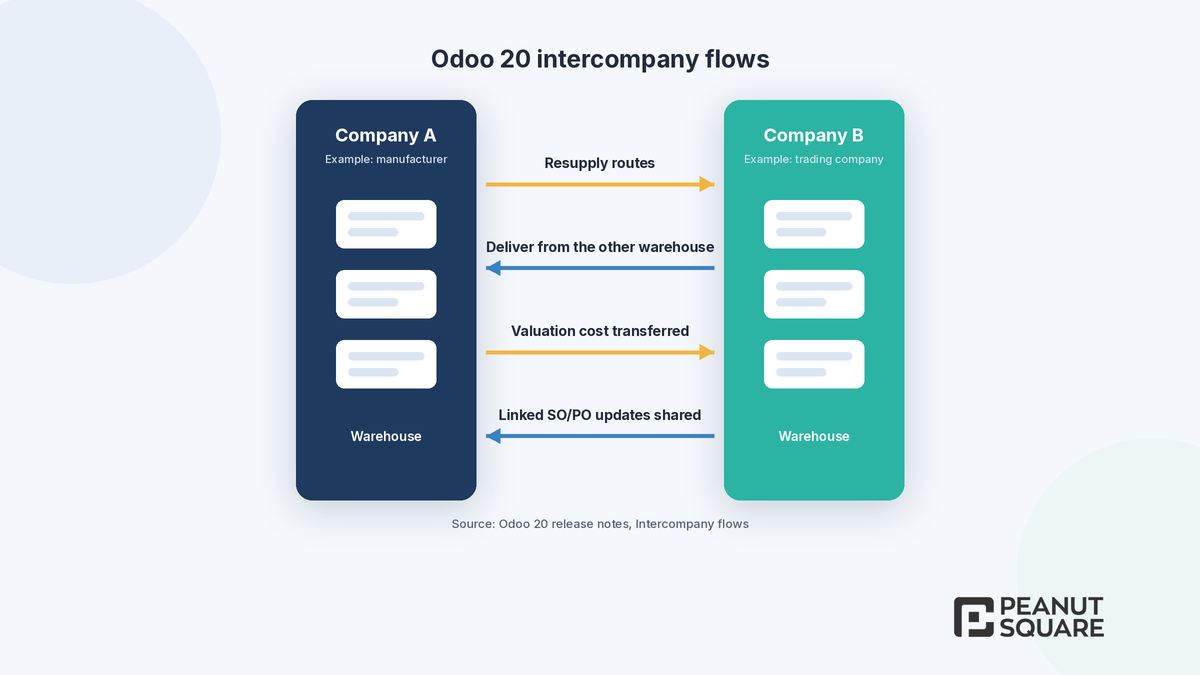
Groups that run a manufacturing company and a trading company in one Odoo database get the most from this release. The Odoo 20 release notes list four intercompany improvements:
Use routes to resupply one company from another.
Deliver a sales order from another company's warehouse, or use another company's pickup points.
Valuation costs of transferred products are properly transferred between companies.
Updates to linked sales and purchase orders, such as price or quantity, are properly communicated to the other company.
These build on the Inter-Company Transactions feature described in Odoo's multi-company documentation, which can create counterpart sales orders, purchase orders and bills, and synchronize stock moves between companies. Odoo 20 also matches synchronized vendor bills with synchronized purchase orders automatically, and customer lead times can now differ per company. Check fiscal positions and GST settings for each company carefully, because intercompany documents create real tax entries.
Simplified returns
The release notes state that the return wizard has been removed and the returns process has been simplified. They do not describe the new screens step by step, and the 20.0 documentation did not yet cover the new flow when we checked on 19 October 2026, so we suggest you walk through a customer return and a vendor return on a test database before training your team. If you sell online, Odoo 20 eCommerce also lets customers return products from the customer portal.
Other Odoo 20 inventory changes worth knowing
Inventory at a past date: a new date picker in the stock report keeps your filters and allows a precise timestamp.
Allocation: allocate directly from the forecast report, with a redesigned allocation report.
Location-specific push routes: route a product by the exact location where it is received.
Traceability report: upstream and downstream lot and serial numbers in a single report.
Vendor purchase reference on receipts: warehouse staff can identify the vendor without opening the purchase order.
Variant-level data: HS codes and packagings can now be set per product variant.
Valuation Adjustments menu: product cost adjustments and their valuation impact are listed in one place, in debug mode.
Barcode: suggested batch receipts, bulk lot and serial number generation, and pre-encoded package contents from vendors.
Odoo 20 also lets you manage stock on hand and accounting valuation without the Inventory app, which suits businesses with very simple stock needs. Accounting changes that affect valuation are covered in our Odoo 20 accounting post, and India-specific updates in our Odoo 20 India localization post.
What should warehouse teams test before upgrading to Odoo 20?
Odoo's upgrade documentation recommends requesting an upgraded test database and testing it thoroughly first. On that copy, we suggest your stores, purchase and accounts teams check at least these points:
Suggested min/max levels on a sample of fast, slow and seasonal products, compared with your current rules.
The replenishment dashboard with the single Order button, including advance orders.
A customer return and a vendor return without the old return wizard.
The stock aging report against your current slow-moving stock list.
An import receipt with landed costs on specific products and, if you import, the bill of entry flow.
Intercompany sales, purchases and stock moves, with GST on both sides.
E-way bills created from deliveries, if you use the India localization.
Any custom module that touches stock, returns or valuation. The upgrade documentation warns that a database with custom modules cannot be upgraded until those modules are available for the target version.
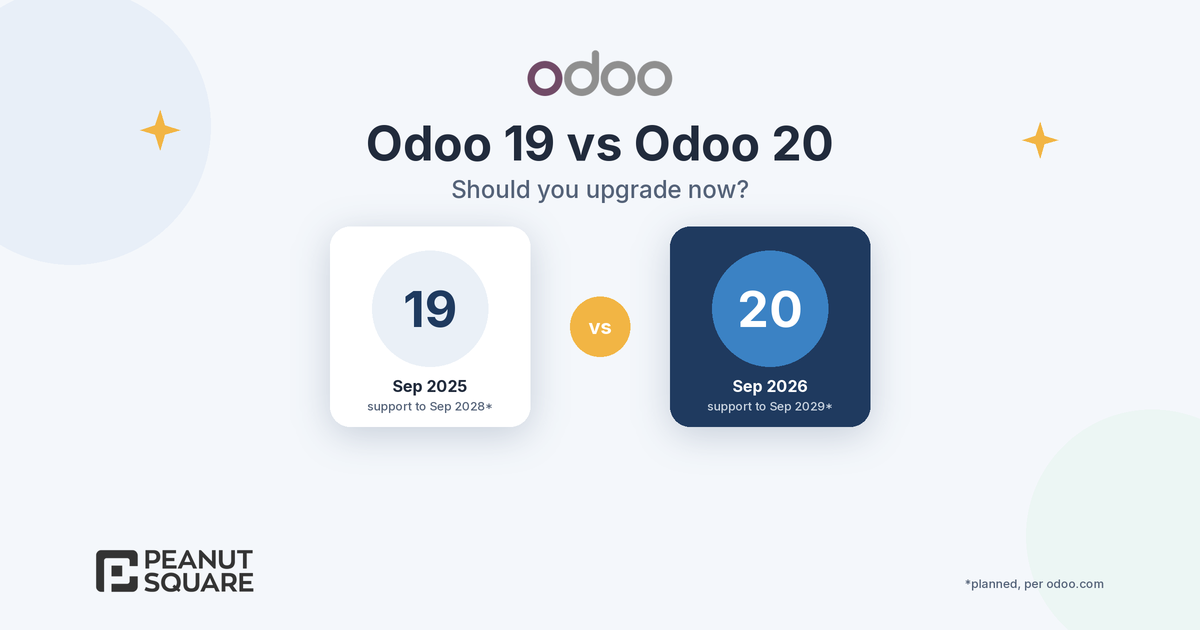
If you are still deciding when to move, our Odoo 19 vs Odoo 20 guide explains support dates and when waiting makes sense.
How Peanut Square can help
Peanut Square is an Odoo Learning Partner based in Ahmedabad, Gujarat, founded in 2017. We have developed 90 Odoo modules and delivered 100+ projects, and our team includes an Odoo-certified consultant. Our Odoo clients include Renite Vitrified (https://renitevitrified.com/), Woodleaf and Madhav Solar. Through our Odoo migration and Odoo support services, we can review your reordering rules, returns and costing setup against the Odoo 20 inventory changes, plan a test upgrade and help your warehouse team check it.
Planning your move to Odoo 20 inventory? Talk to us: https://www.peanutsquare.com/en/contact
About the author: Nishant Patel, CTO, Peanut Square
Nishant leads technology at Peanut Square, an Odoo Learning Partner founded in 2017 and based in Ahmedabad, Gujarat. The team has developed 90 Odoo modules, delivered 100+ projects and includes an Odoo-certified consultant.
Sources
Odoo 20 release notes, Inventory, Barcode, Accounting, India and eCommerce sections (September 2026): https://www.odoo.com/odoo-20-release-notes
Meet Odoo 20 (Odoo blog, 24 Sep 2026): https://www.odoo.com/blog/odoo-news-5/meet-odoo-20-2439
Odoo 20.0 documentation, Reordering rules: https://www.odoo.com/documentation/20.0/applications/inventory_and_mrp/inventory/warehouses_storage/replenishment/reordering_rules.html
Odoo 20.0 documentation, Moves analysis report (Aging Report): https://www.odoo.com/documentation/20.0/applications/inventory_and_mrp/inventory/warehouses_storage/reporting/moves_analysis.html
Odoo 20.0 documentation, Landed costs: https://www.odoo.com/documentation/20.0/applications/inventory_and_mrp/inventory/inventory_valuation/landed_costs.html
Odoo 20.0 documentation, Multi-company (Inter-company transactions): https://www.odoo.com/documentation/20.0/applications/general/companies/multi_company.html
Odoo 20.0 documentation, India localization (E-waybill): https://www.odoo.com/documentation/20.0/applications/finance/fiscal_localizations/india.html
Odoo 20.0 documentation, Upgrade: https://www.odoo.com/documentation/20.0/administration/upgrade.html
What inventory features are new in Odoo 20?
Odoo 20's release notes list suggested minimum and maximum levels for reordering rules, downloadable CMR documents from deliveries, a stock aging report in the Moves Analysis pivot view, landed costs for individual products of a transfer, improved intercompany flows and a simplified returns process without the return wizard. Other changes include an inventory-at-a-past-date view, a single Order button on the replenishment dashboard, location-specific push routes and an improved traceability report.
How does Odoo 20 suggest reorder levels?
According to the Odoo 20 release notes, minimum and maximum stock levels for reordering rules are suggested based on demand history, the desired minimum days of coverage and order frequency. The suggestions depend on the history recorded in Odoo, so review them, especially for seasonal products, before you rely on them.
Where is the stock aging report in Odoo 20?
Open Inventory > Reporting > Moves Analysis and choose the Aging Report in Favorites. Odoo's documentation says it groups rows by product category and product, groups columns by month and shows Remaining Quantity and Remaining Value. Consignment and dropshipping products do not appear, and the reporting feature needs admin access.
Is the Odoo 20 CMR document useful for Indian businesses?
The CMR document follows the Convention on the Contract for the International Carriage of Goods by Road, so it mainly helps businesses that ship by road across borders under that convention. For domestic road shipments in India, Odoo's 20.0 India localization documentation lists e-way bill modules, including e-way bill creation from the Inventory app.
What changed for returns in Odoo 20?
The Odoo 20 release notes say the return wizard has been removed and the returns process has been simplified. They do not describe the new screens step by step, so walk through a customer return and a vendor return on an upgraded test database before training your team. Odoo 20 eCommerce also lets customers return products from the customer portal.