Quick answer: Odoo 20 accounting, released in September 2026, adds AI-powered financial insights, bill line prediction, customer invoice reminders, matching rules for reconciliation and a way to pay bills directly from Odoo through a payment initiation (PISP) interface. It also changes how your books are structured: account groups are replaced by parent accounts, account codes become optional, payment statuses are renamed, and every journal entry that touches a bank account must now come from a bank transaction. Test these changes on a copy of your database before you upgrade.
What are the main accounting changes in Odoo 20?
Odoo 20's release notes list AI-powered financial insights, bill line prediction, customer invoice reminders, matching rules for automatic reconciliation and paying bills from Odoo through a PISP interface. Structural changes include parent accounts replacing account groups (account codes become optional), depreciation models replacing asset models, renamed payment statuses and a rule that bank journal entries must come from bank transactions.
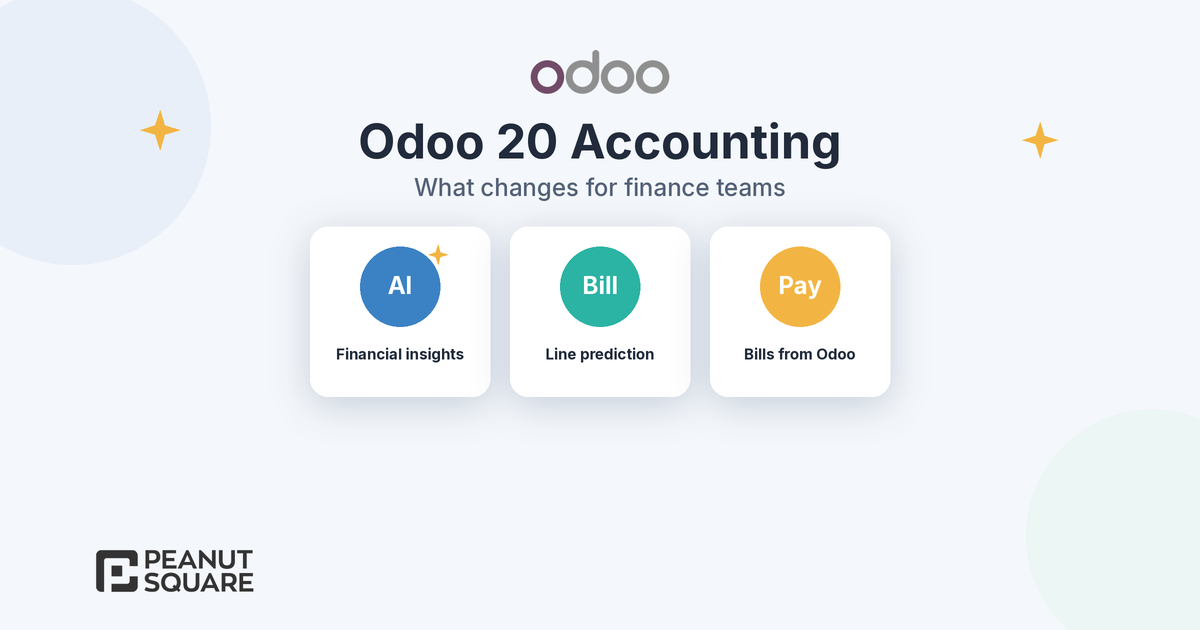
What changes in Odoo 20 accounting at a glance
The Odoo 20 release notes list more than forty accounting items. For a finance team in India, these are the ones that change daily work or affect an upgrade:
New help with data entry: AI financial insights, bill line prediction and faster encoding with reconciliation model shortcuts.
New ways to collect and pay: customer invoice reminders and bill payments sent from Odoo through a payment initiation service provider.
Structural changes: parent accounts instead of account groups, depreciation models instead of asset models, and renamed payment statuses.
Stricter controls: bank entries must come from bank transactions, taxes are limited to their fiscal positions, and duplicate detection now shows two warning levels.
Odoo announced the release in its Meet Odoo 20 post. For the wider picture beyond finance, see our Odoo 20 new features guide.
AI-powered financial insights
In Odoo 20 you can ask the AI assistant for insights into your company's finances, and the release notes state that the answers are based solely on the accounting data in your database. That makes it useful for quick questions an owner or finance head asks every week, such as which expense lines grew or which customers are paying slowly, without building a custom report first.
Two practical points. First, the release notes say all AI features in Odoo 20 now need credits, bought through Odoo's in-app purchase (IAP) service, so budget for them. Second, an AI answer is only as good as the books behind it: if bills are unposted or bank statements are unreconciled, the insight will reflect that. Treat it as a starting point for review, not a replacement for month-end checks. If you want to go further with AI in Odoo, our Odoo AI agents explainer covers agents that create and update records.
Bill line prediction
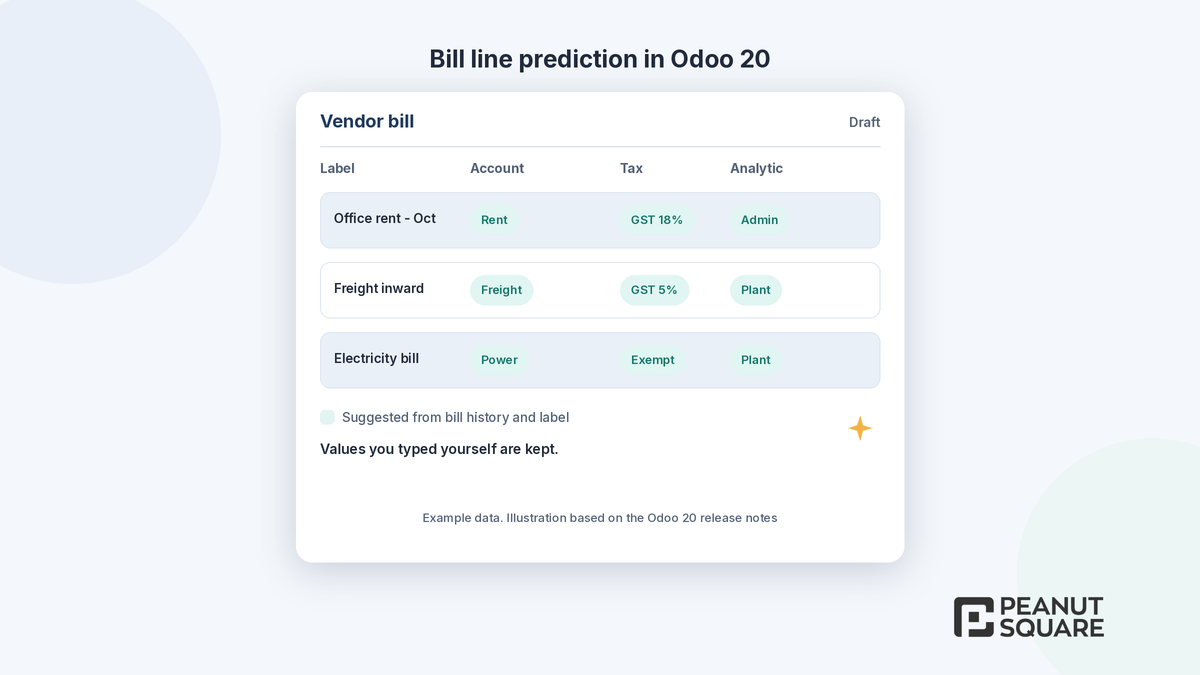
When you encode a vendor bill, whether by hand or by import, Odoo 20 suggests the line details based on your bill history and the line label. According to the release notes, the product, account, tax, analytic distribution and vehicle are pre-filled from the best matches, and values you have already typed on existing lines are kept.
For a business that books the same rent, freight, power or maintenance bills every month, this removes a lot of repeat typing and reduces wrong-account postings. It still depends on clean history: if past bills were coded inconsistently, the predictions will copy those habits. Review the first few weeks of predicted lines, especially GST rates and analytic accounts, before your team starts trusting them.
Two related changes help with vendor bills. Vendor bill and purchase order matching has been improved, with a summary of what was matched, a warning when price or quantity differ, and the option to unmatch. Duplicate detection now shows red warnings for bills that are very likely duplicates and yellow warnings for possible ones.
Parent accounts replace account groups
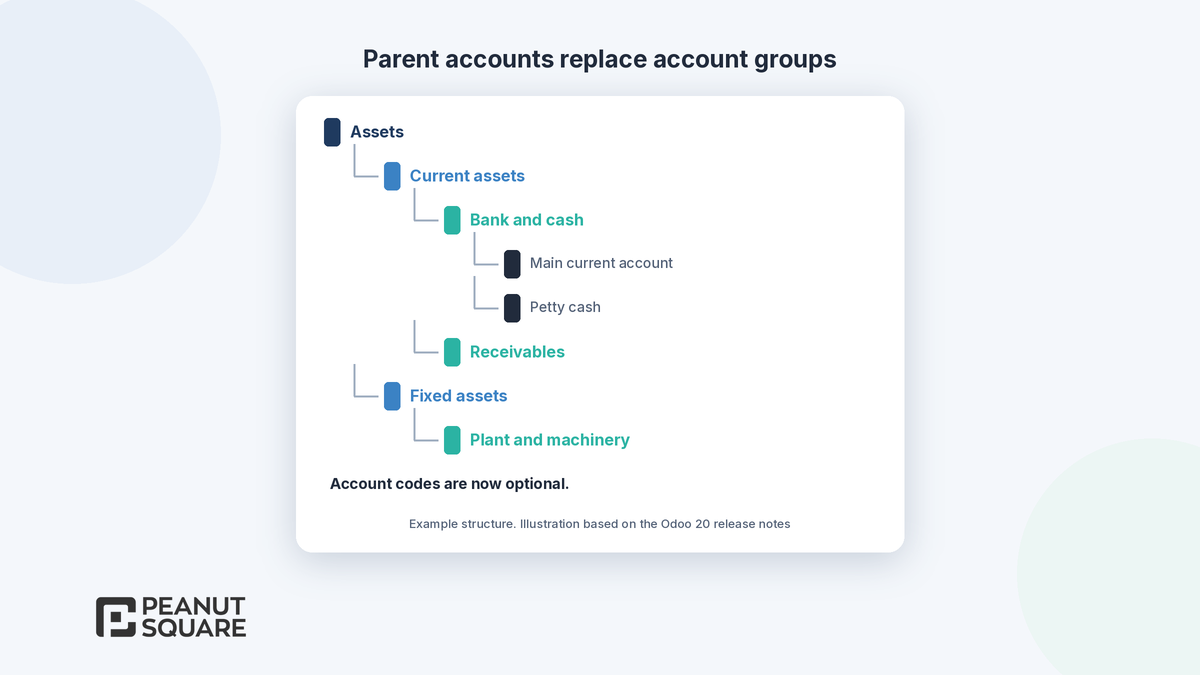
In Odoo 20, account groups are replaced by parent accounts as the way to structure a chart of accounts, and account codes are now optional. Instead of grouping accounts by code ranges, you build a hierarchy where each account can sit under a parent.
This matters most at upgrade time. If your management reports, custom reports or exports read account groups, they need to be checked against the new structure. If your accountant relies on code ranges to read the trial balance, agree on the parent account tree before go-live so reports still read the way your team expects. The same release also replaces asset models with depreciation models and moves asset settings onto the asset accounts themselves, and asset depreciation can now use rates and decimal numbers.
Customer invoice reminders
Odoo 20 lets you send customer invoice follow-ups manually from the invoice list or with the Send button on an invoice, and you can turn on automatic invoice reminders in the Accounting settings. The release notes also say the workflow for both automatic and manual reminders has been simplified.
For Indian SMEs, where collections often run on phone calls and spreadsheets, this is a simple win: decide the reminder schedule once, set it up, and let Odoo send polite reminders before and after the due date. Keep the wording and timing aligned with the payment terms on your invoices.
Paying bills from Odoo (PISP)
Odoo 20 lets you pay bills, one at a time or in batches, with a single signature directly from Odoo through a new interface for payment initiation service providers (PISP). Until now, paying suppliers usually meant exporting a payment file from Odoo and uploading it to the bank portal.
Check availability before you plan around it. Odoo's 20.0 documentation describes this flow through Ponto, which requires SEPA Credit Transfer, and Odoo's SEPA documentation says SEPA payment methods are only valid for transactions in euros. We did not find Odoo documentation for an Indian bank or rupee payments through PISP, so Indian businesses should confirm with Odoo whether their bank is supported. A related Odoo 20 change applies to everyone: the payment wizard now detects pending payments and deducts them from the amount due, to prevent double payments.
Payment status renames
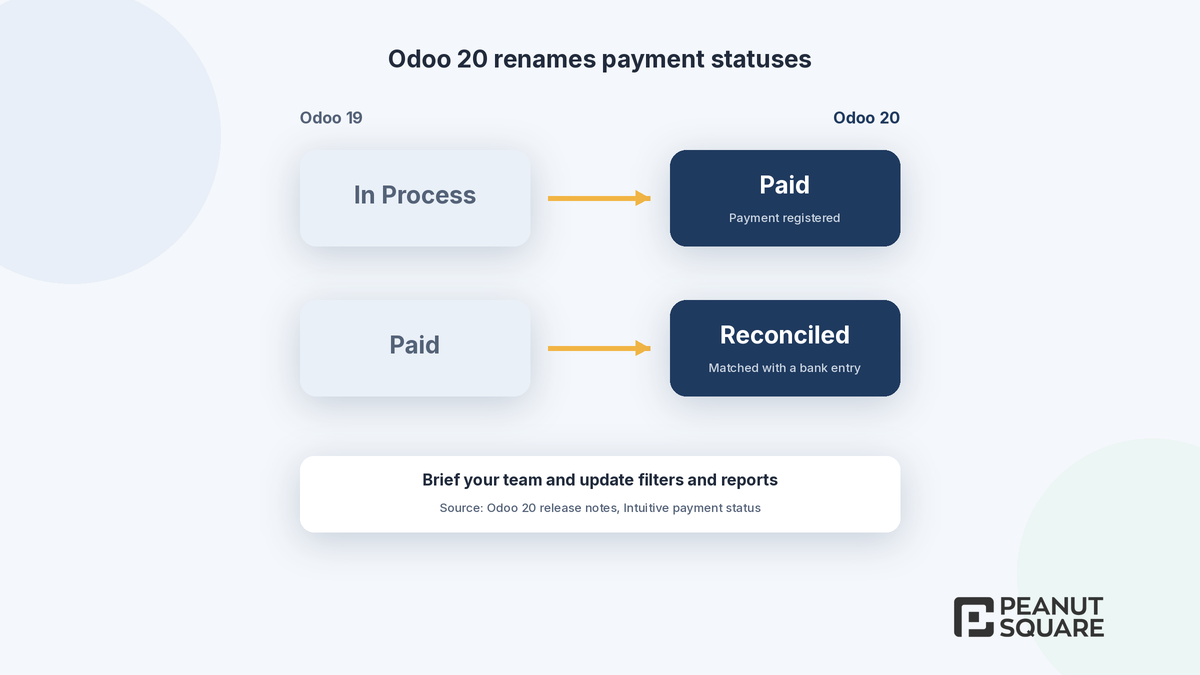
This is the change most likely to confuse users on day one. Odoo 20 renames payment statuses from "In Process" to "Paid" and from "Paid" to "Reconciled". In other words, "Paid" now means the payment is registered, and "Reconciled" means it has been matched with a real bank entry. The manual "Mark as Reconciled" button has moved to the action menu, to push teams towards matching payments with bank transactions.
Update saved filters, dashboards and any custom report that reads payment status, and brief your finance and sales teams before go-live so nobody chases a customer who has already paid. Alongside this, Odoo 20 requires all journal entries that affect bank accounts to originate from bank transactions, which stops manual bank entries from drifting away from the statement.
Other Odoo 20 accounting changes worth knowing
Matching rules: set payment tolerance and matching order for automatic bill and invoice reconciliation, and re-run automatic bank reconciliation on demand.
Manual reconciliation on any account: the "Allow Reconciliation" checkbox is renamed "Payment Reconciliation".
Split items on invoices: split journal items across quantities or accounts from the invoice.
Taxes in fiscal positions: a default tax that does not belong to the invoice's fiscal position is removed, even if there is no replacement.
Expenses: the standalone Employee Expenses menu is removed, and approved expenses now create draft bills in the expense journal.
Valuation without Inventory: stock on hand and accounting valuation can be managed without the Inventory app.
Bank reconciliation summary report: reconciled and unreconciled transactions as of the end of a period.
India-specific updates, such as Composition Taxpayer support with CMP-08 and GSTR-4, the QRMP scheme, more flexible TDS, Schedule III financial statements, RCM self-invoices and a count of invoices pending e-invoicing on the Accounting dashboard, are covered in our Odoo 20 India localization post.
What should accountants test before upgrading to Odoo 20?
Odoo's upgrade documentation recommends starting with an upgraded test database. On that copy, we suggest your finance team checks at least these points:
The chart of accounts after account groups become parent accounts, and every report that used groups.
Payment statuses on open invoices and bills, plus any filter, dashboard or export that reads them.
Bank journals: manual bank entries, open statements and reconciliation models.
A sample of vendor bills encoded with line prediction, checking account, GST and analytic values.
Customer invoice reminders, with the text and schedule your team agreed.
Fixed assets after asset models become depreciation models.
Taxes on invoices that use fiscal positions, such as inter-state or export sales.
GST reports and e-invoicing on test documents, if you use the India localization.
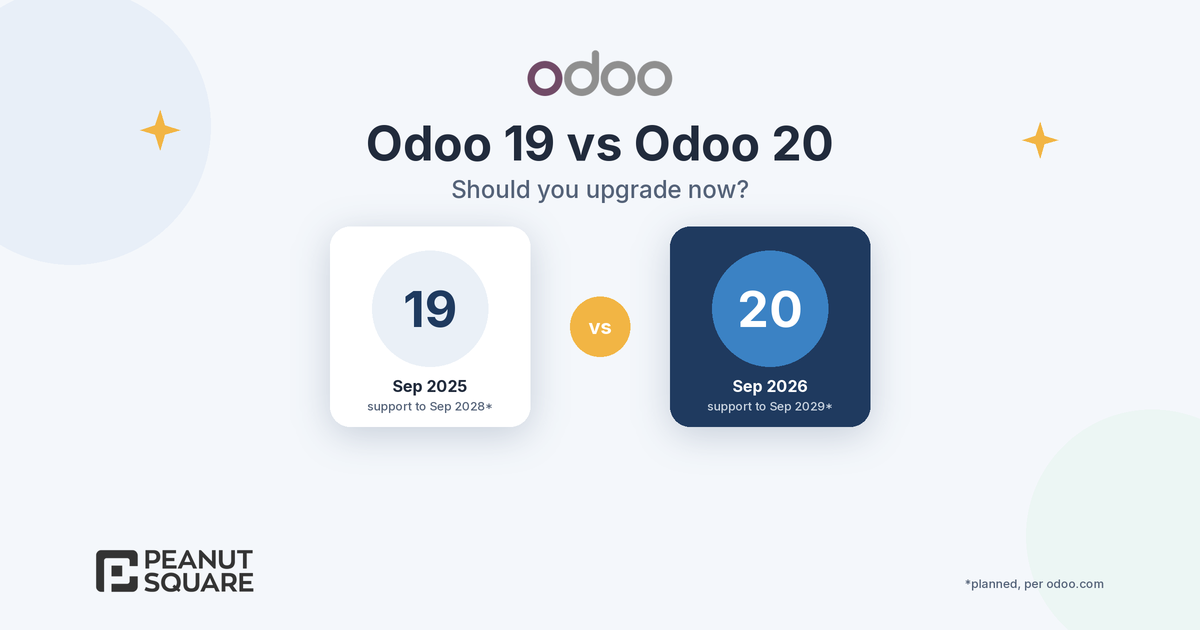
If you are still deciding when to move, our Odoo 19 vs Odoo 20 guide explains support dates and when waiting makes sense.
How Peanut Square can help
Peanut Square is an Odoo Learning Partner based in Ahmedabad, Gujarat, founded in 2017. We have developed 90 Odoo modules and delivered 100+ projects, and our team includes an Odoo-certified consultant. Our Odoo clients include Renite Vitrified (https://renitevitrified.com/), Woodleaf and Madhav Solar. Through our Odoo implementation and Odoo ERP services, we can review your accounting setup against the Odoo 20 changes, plan a test upgrade and help your finance team check it.
Planning your move to Odoo 20 accounting? Talk to us: https://www.peanutsquare.com/en/contact
About the author: Nishant Patel, CTO, Peanut Square
Nishant leads technology at Peanut Square, an Odoo Learning Partner founded in 2017 and based in Ahmedabad, Gujarat. The team has developed 90 Odoo modules, delivered 100+ projects and includes an Odoo-certified consultant.
Sources
Odoo 20 release notes, Accounting, AI and India sections (September 2026): https://www.odoo.com/odoo-20-release-notes
Meet Odoo 20 (Odoo blog, 24 Sep 2026): https://www.odoo.com/blog/odoo-news-5/meet-odoo-20-2439
Odoo 20.0 documentation, Ponto (vendor payments through a payment initiation provider): https://www.odoo.com/documentation/20.0/applications/finance/accounting/bank/bank_synchronization/ponto.html
Odoo 20.0 documentation, SEPA payments: https://www.odoo.com/documentation/20.0/applications/finance/accounting/payments/sepa_payments.html
Odoo 20.0 documentation, Vendor bills: https://www.odoo.com/documentation/20.0/applications/finance/accounting/vendor_bills.html
Odoo 20.0 documentation, Upgrade: https://www.odoo.com/documentation/20.0/administration/upgrade.html
How does bill line prediction work in Odoo 20?
When you encode a vendor bill, manually or by import, Odoo suggests line details from your bill history and the line label. The product, account, tax, analytic distribution and vehicle are pre-filled from the best matches, and values you typed yourself on existing lines are kept.
What do the new payment statuses mean in Odoo 20?
Odoo 20 renames "In Process" to "Paid" and "Paid" to "Reconciled". Paid now means the payment is registered, and Reconciled means it has been matched with a bank entry. The manual Mark as Reconciled button has moved to the action menu.
Can Indian businesses pay bills from Odoo 20 through PISP?
Odoo 20 lets you pay bills individually or in batches with a single signature through a payment initiation (PISP) interface. Odoo's 20.0 documentation describes this through Ponto with SEPA Credit Transfer, which is valid only for euro payments, and we did not find Odoo documentation for Indian banks or rupee payments. Confirm support for your bank with Odoo before planning around it.
Do Odoo 20 AI accounting features cost extra?
Odoo 20's release notes state that all AI features now need credits, which are bought through Odoo's in-app purchase (IAP) service. The AI financial insights answer questions based solely on the accounting data in your database, so clean, reconciled books give better answers.