Quick answer: Odoo 20 access rights are simpler. The Odoo 20 release notes say record rules have been removed and a domain is now added directly at the access right level to decide which records an access right applies to. For developers, the 20.0 documentation describes one model, ir.access, with a group, a set of operations written as a "crud" string and an optional domain. Custom modules that ship ir.model.access.csv files or record rules need to be reviewed and tested before an upgrade.
Security is the part of a custom module that nobody notices until it breaks. A salesperson suddenly sees every team's pipeline, or a warehouse user cannot validate a transfer on the day you go live. Odoo 20 changes how this layer works, so anyone running custom modules should understand the change before upgrading. This guide explains what changed in Odoo 20 access rights, what it means for custom modules, the other technical changes worth checking at the same time, and a test checklist. Every Odoo fact below comes from the Odoo 20 release notes or the official Odoo 19.0 and 20.0 documentation, all linked at the end.
How do access rights change in Odoo 20?
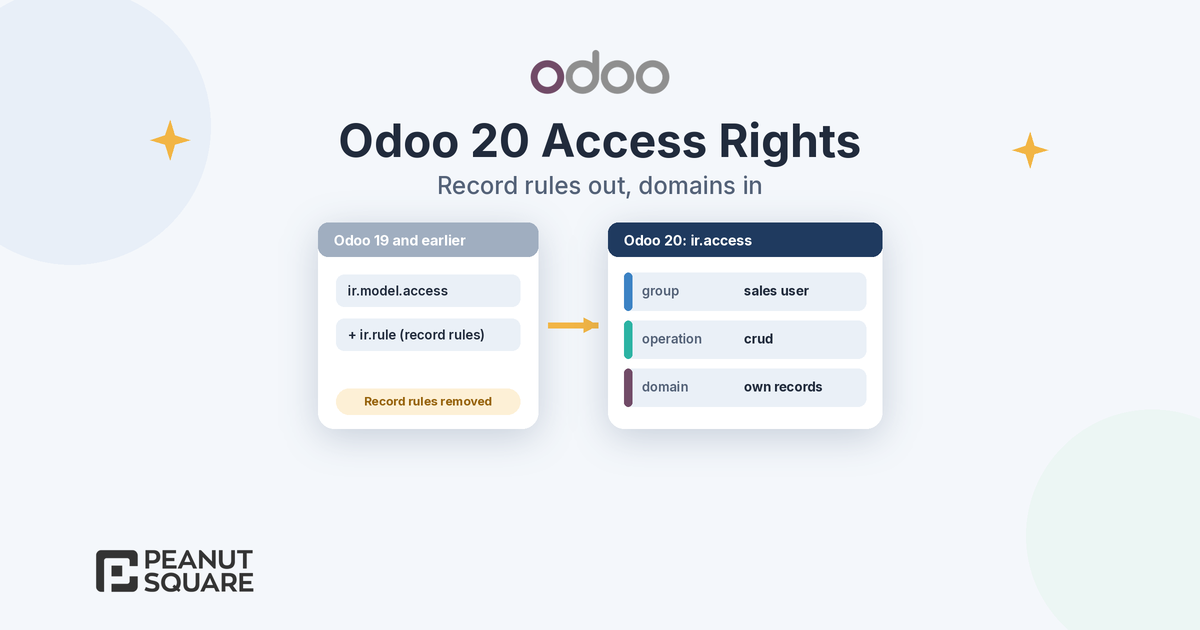
The release notes put it in one line under "Simplified access rights": "Access rights have been simplified by removing record rules and adding a domain directly at the access right level to determine which records the access right applies to."
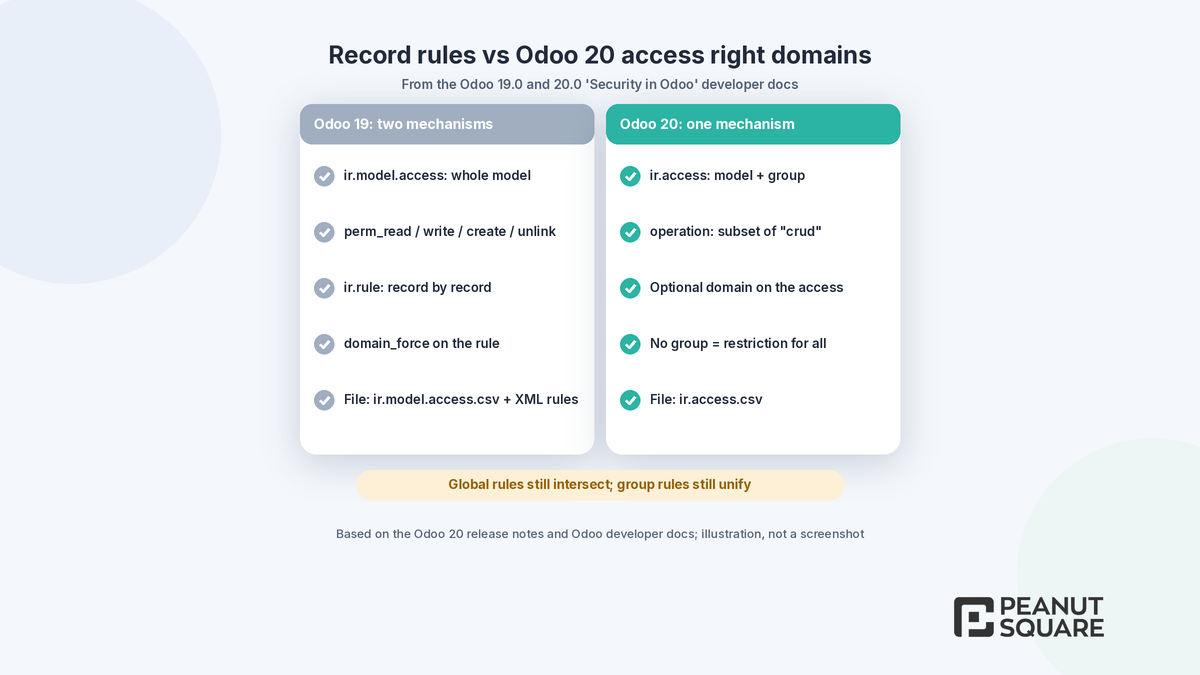
Until Odoo 19, Odoo had two separate mechanisms. The 19.0 developer documentation describes access rights (ir.model.access), which grant create, read, write and delete on an entire model through perm_create, perm_read, perm_write and perm_unlink flags, and record rules (ir.rule), which are evaluated record by record after access rights, using a domain_force domain. A user needed both to pass.
The 20.0 "Security in Odoo" page now speaks of "one main data-driven mechanism". It documents a model called ir.access with these fields:
name: the purpose or role of the access.
model_id: the model to which the access applies.
group_id: the group that receives the access. An empty group means the access is a restriction applied to every user.
operation: a subset of create, read, update and delete written as a subsequence of the string "crud". For example, "r" means read and "cd" means create and delete.
domain: an optional domain. When it is not set, the access applies to all records of the model, as if the domain were
[].
The domain can use the same variables record rules used: time, user, company_id and company_ids. The 20.0 page also lists a privilege_id field on res.groups, which associates groups with an app, while the 19.0 page described a category_id field for that role.
Do Odoo record rules still exist in Odoo 20?
Not as a separate developer concept. According to the release notes, record rules have been removed and their job, limiting which records a user can touch, is now done by the domain on the access right. The 20.0 documentation keeps the idea of global and group rules, now applied to access rights:
Group access rights unify: if two group access rights apply, either one can grant access. Adding group access rights can expand access.
Global access rights intersect: access rights without a group behave as restrictions for all users, and every one of them must be satisfied. Adding global access rights always restricts access further.
Global and group rules intersect: a global access right can block access that a group access right would otherwise grant.
The documentation warns that creating several global rules is risky because non-overlapping rulesets can remove all access. Note that some functional pages, such as the 20.0 "Access rights" user guide, still describe a Record Rules tab on the group form. Check the actual screens in an Odoo 20 test database rather than relying on any one page.
What changes for custom modules?
Most custom modules ship their security as data files. The Odoo 20.0 server framework tutorial now shows access rights loaded from a file named ir.access.csv with these columns:
id,name,model_id,group_id/id,operation,domain
access_test_model,access_test_model,test_model,base.group_user,crud,
Compare that with the familiar ir.model.access.csv layout of four permission columns. For a custom module, this means:
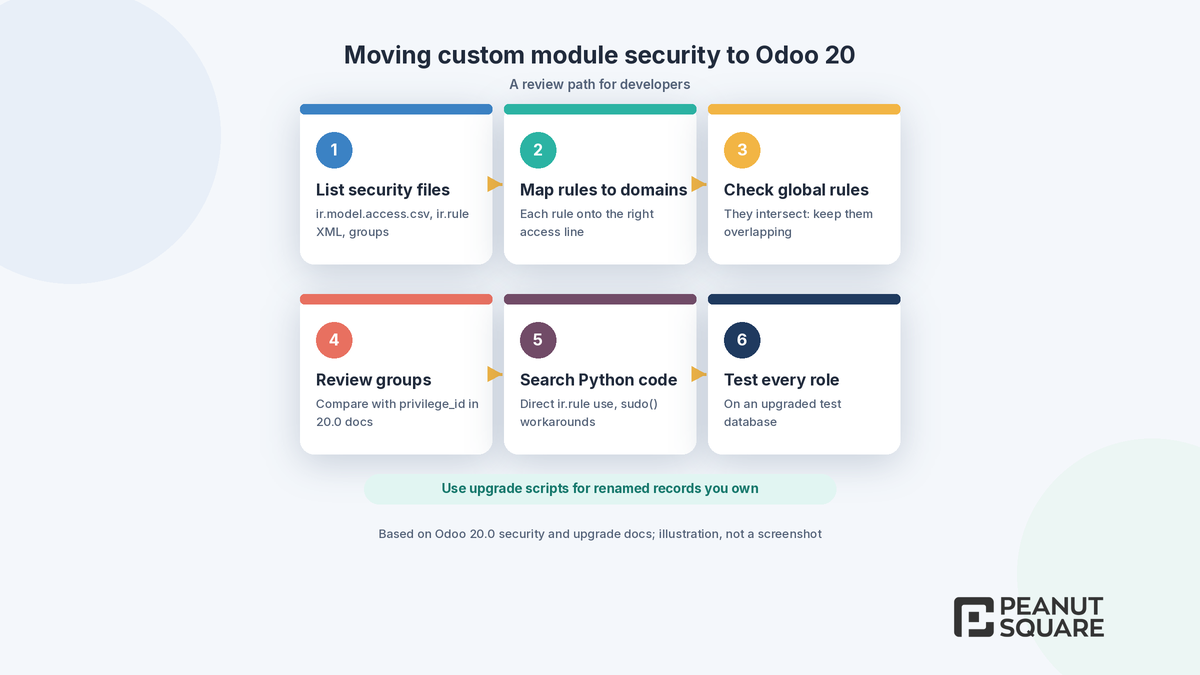
List every security file. Find each
ir.model.access.csv, everyir.rulerecord in XML and every group definition in your custom modules.Map each record rule to a domain. A rule such as "salespeople see only their own leads" becomes a domain on the matching access right for that group and operation.
Check global rules carefully. Multi-company and "own documents only" rules that had no group become global access rights, which intersect. Test that they still overlap.
Review group definitions. Where your groups set an app category, compare them with the
privilege_idfield described in the 20.0 documentation.Search your Python code. Look for code that reads or writes
ir.ruleorir.model.accessrecords directly, and forsudo()calls added to work around rules.
The release notes do not explain how existing custom record rules are converted during a standard upgrade. Treat that as something to verify: request an upgraded test database, read the upgrade report and log in as real users from each role. Odoo's "Upgrade a customized database" guide says renamed models, fields and external identifiers should be handled with upgrade scripts to avoid data loss, and that applies to security records your module owns too.
Tracking values removed: why it matters
Access rights are not the only framework change in Odoo 20. Under "Mail: in-body tracking", the release notes say tracking values have been removed and "the tracking message is now generated on the fly". Features linked to tracking values, such as burndown charts and stage duration, were updated for the new framework, and admins who still need tracking values can install a dedicated module. If a custom module, report or integration reads tracking values directly, for example to build an audit log or measure time in stage, test it early.
Other Odoo 20 technical changes to check
The Technical section of the Odoo 20 release notes lists more changes that touch custom code:
Tracking user group changes: user group changes are now logged in the user's chatter and in the console logs, which helps when you audit access after an upgrade.
Many-to-one fields: many-to-one fields are now synced with the backend, and adding or removing values has been improved, even with large lists.
Push notifications: they are no longer handled by Firebase but by Odoo's in-house push tools.
Mail sources:
mail.mailrecords now specify the source of their content to ease auditing.
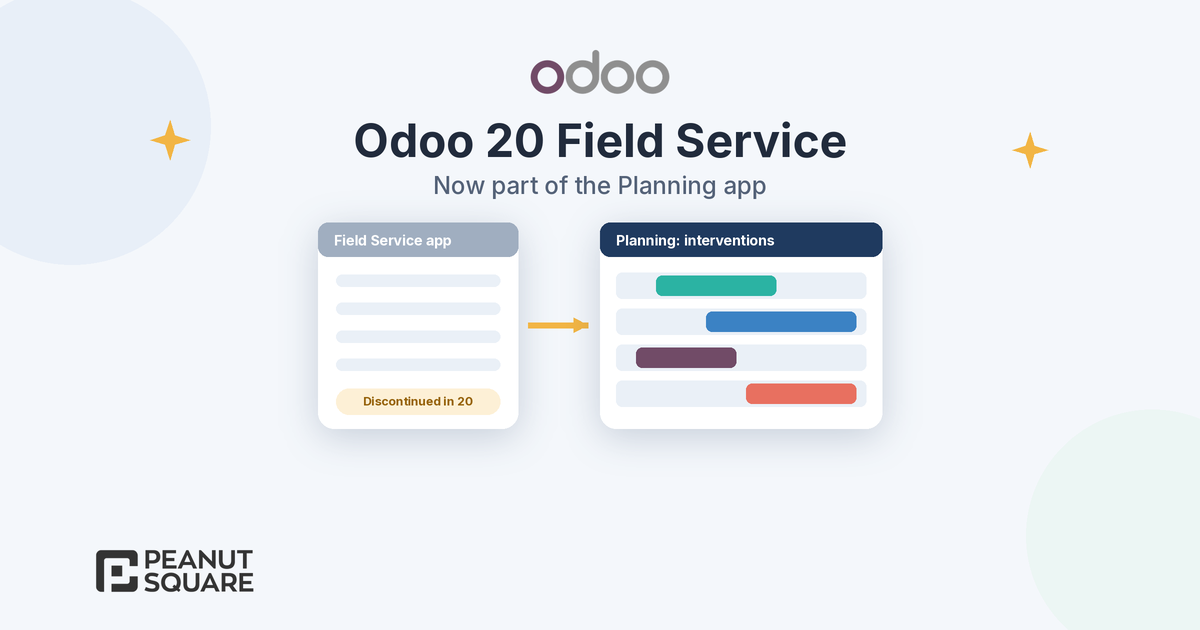
App-level changes matter too. For example, the release notes say the Field Service app has been discontinued and its features moved into Planning, which affects any custom code built on it. Our guide to Odoo field service in Odoo 20 covers that change, and Odoo 20 new features covers the wider release.
Odoo 20 access rights testing checklist
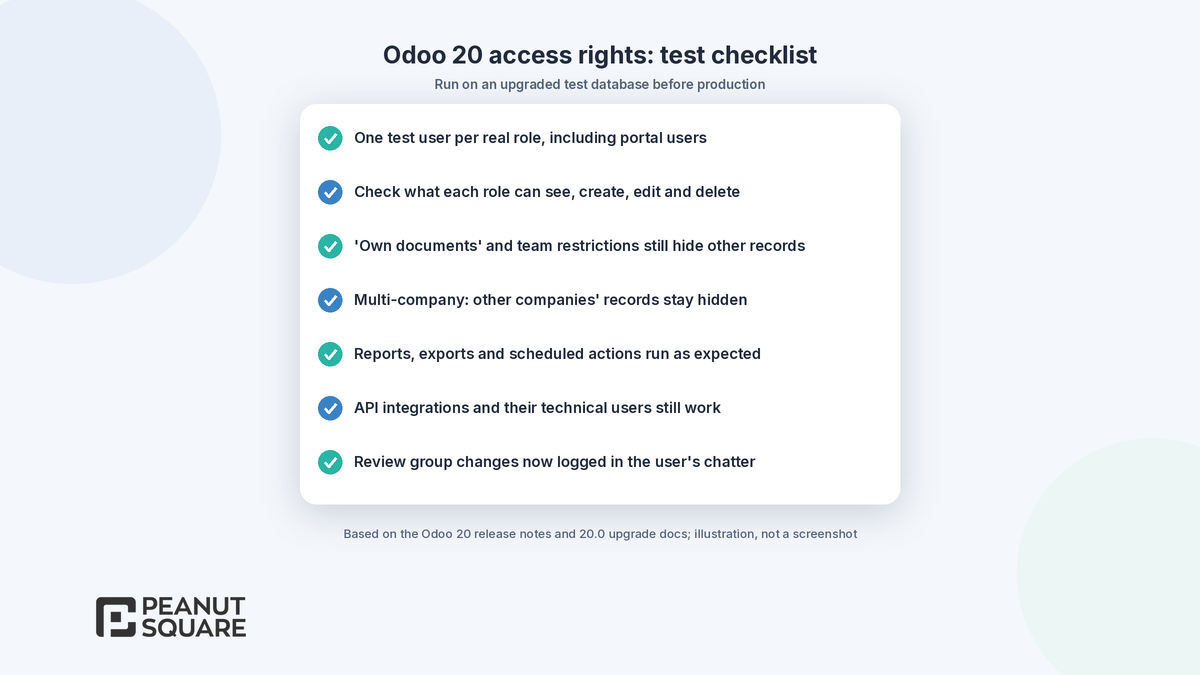
Odoo's upgrade documentation recommends requesting an upgraded test database and testing it thoroughly before upgrading production. For security, run these checks on that test database:
Create one test user per real role, for example salesperson, sales manager, accountant, warehouse user and portal customer.
For each role, open the main menus and check what the user can see, create, edit and delete.
Confirm that "own documents" and team restrictions still hide other users' records.
In a multi-company database, switch companies and check that records from other companies stay hidden.
Test portal and website users separately, since global restrictions apply to them too.
Check reports, exports, scheduled actions and API integrations that run as specific users.
Review the group changes logged in the user's chatter after you adjust permissions.
The 20.0 security page also repeats some long-standing rules that are worth re-reading during a review: public methods can be called through RPC with any parameters, so they must check rights themselves; never bypass the ORM with raw SQL when a search can do the job; and build domains with the Domain class instead of concatenating lists a user can tamper with.
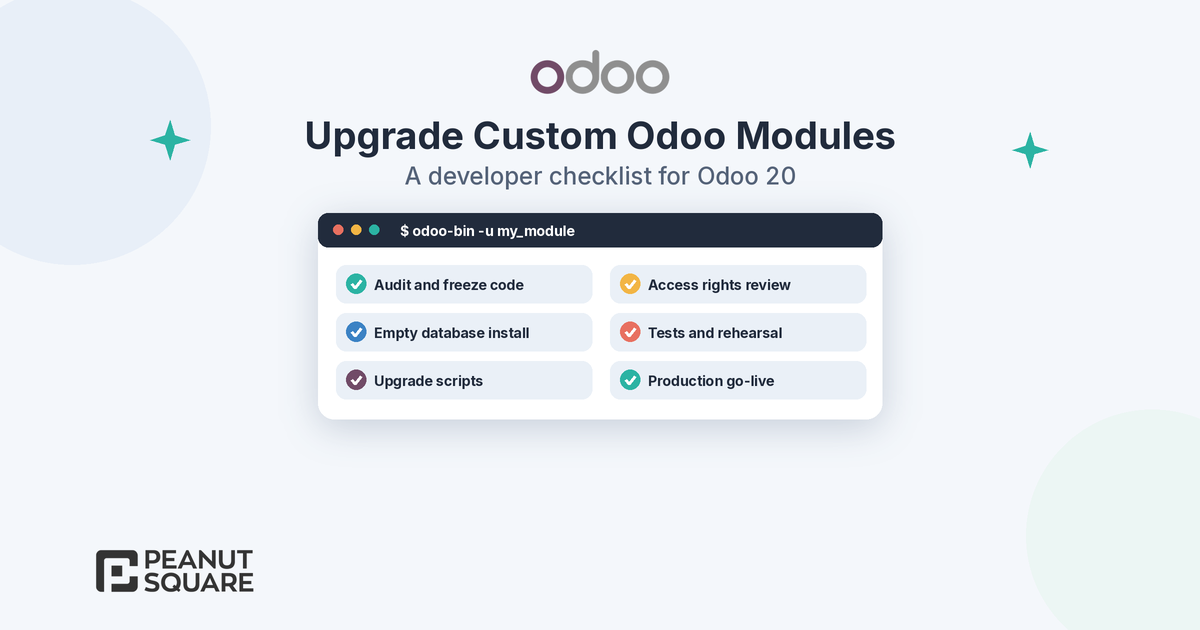
If you are planning the upgrade itself, read our developer checklist for upgrading custom Odoo modules, our Odoo 19 vs Odoo 20 comparison and our guide to Odoo custom module development. Our Odoo migration, Odoo customization and Odoo support services cover reviews like this.
How Peanut Square can help
Peanut Square is an Odoo Learning Partner based in Ahmedabad, Gujarat, founded in 2017. We have developed 90 Odoo modules and delivered 100+ projects, and our team includes an Odoo-certified consultant. Our Odoo clients include Renite Vitrified, Woodleaf and Madhav Solar. We can audit the security files in your custom modules, map record rules to Odoo 20 access right domains, set up an upgraded test database and run role-by-role tests with your team, for businesses in Ahmedabad, across Gujarat and remotely.
Planning to move custom Odoo modules to Odoo 20? Talk to our developers: https://www.peanutsquare.com/en/contact
About the author: Nishant Patel, CTO, Peanut Square
Nishant leads technology at Peanut Square, an Odoo Learning Partner founded in 2017 and based in Ahmedabad, Gujarat. The team has developed 90 Odoo modules, delivered 100+ projects and includes an Odoo-certified consultant.
Sources
Odoo 20 release notes (General and Technical sections): https://www.odoo.com/odoo-20-release-notes
Odoo 20.0 documentation, Security in Odoo: https://www.odoo.com/documentation/20.0/developer/reference/backend/security.html
Odoo 19.0 documentation, Security in Odoo: https://www.odoo.com/documentation/19.0/developer/reference/backend/security.html
Odoo 20.0 documentation, Server framework 101, Chapter 4: Security: https://www.odoo.com/documentation/20.0/developer/tutorials/server_framework_101/04_securityintro.html
Odoo 20.0 documentation, Access rights: https://www.odoo.com/documentation/20.0/applications/general/users/access_rights.html
Odoo 20.0 documentation, Upgrade a customized database: https://www.odoo.com/documentation/20.0/developer/howtos/upgrade_custom_db.html
How do access rights change in Odoo 20?
The Odoo 20 release notes say access rights have been simplified by removing record rules and adding a domain directly at the access right level. The 20.0 developer documentation describes one model, ir.access, with a group, an operation string such as 'crud' or 'r', and an optional domain that decides which records the access applies to.
Are record rules removed in Odoo 20?
Yes, according to the Odoo 20 release notes. Their job, limiting which records a user can work on, is now done by the domain on the access right. Access rights without a group act as global restrictions for all users and intersect, while group access rights unify.
What should I change in my custom module's security files for Odoo 20?
List every ir.model.access.csv file, ir.rule record and group in your modules. The 20.0 tutorial loads access rights from an ir.access.csv file with the columns id, name, model_id, group_id/id, operation and domain, so map each record rule's domain onto the matching access line and test every role.
Are tracking values still available in Odoo 20?
The Odoo 20 release notes say tracking values have been removed and the tracking message is now generated on the fly. Features such as burndown charts and stage duration were updated, and admins who still need tracking values can install a dedicated module. Custom code that reads tracking values should be tested.
How do I test access rights before upgrading to Odoo 20?
Request an upgraded test database, create one test user per real role, including portal users, and check what each can see, create, edit and delete. Check multi-company restrictions, reports, exports, scheduled actions and integrations, and read the upgrade report for disabled views.